
If you no longer wish to use, Click Buddha, you can permanently delete your Click Buddha account, including all domains, data, and settings. There are two ways to delete your account: through My Profile or the Billing Section.
Method 1: Delete from My Profile
Log in to your Click Buddha Dashboard.
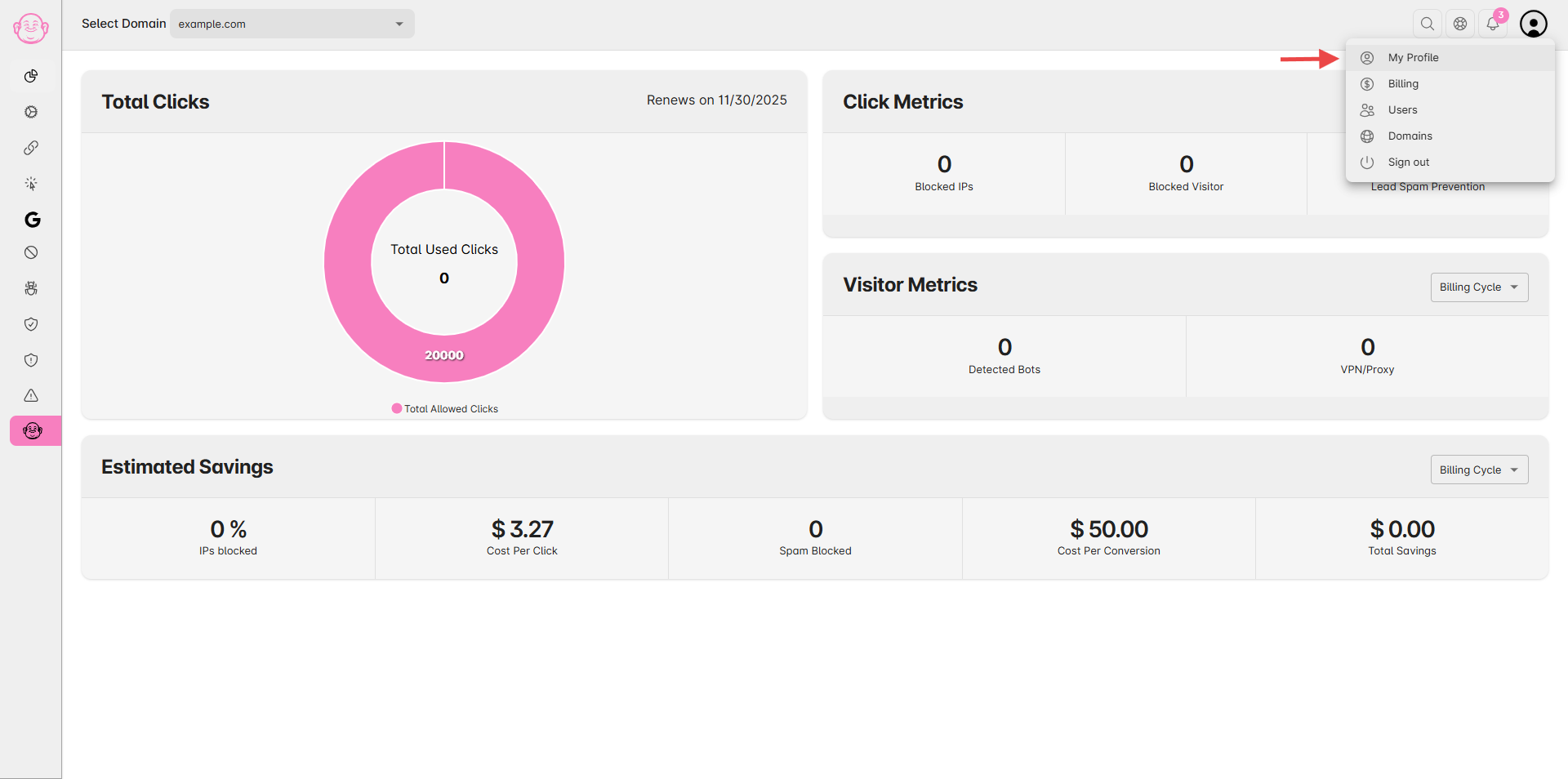
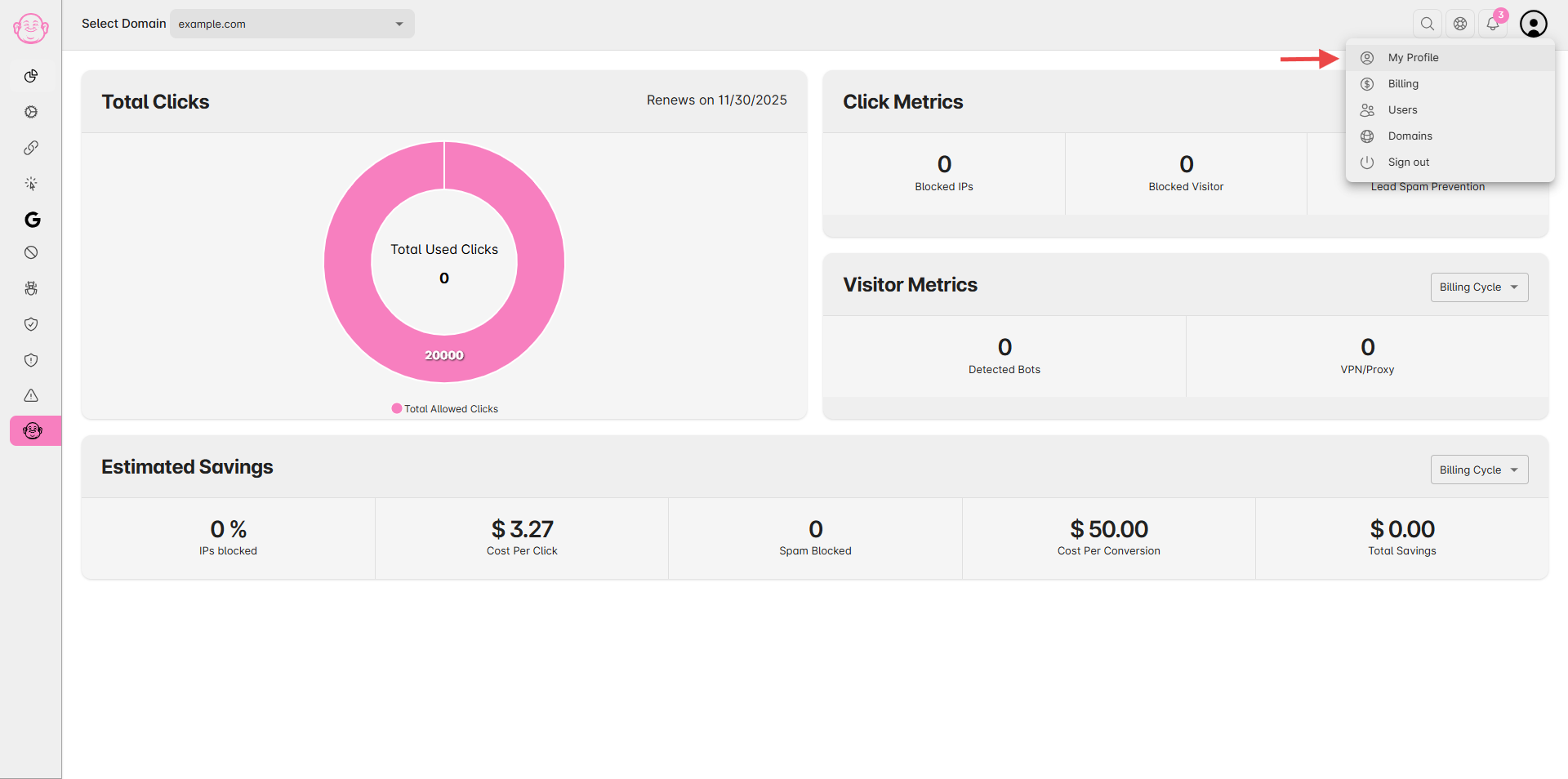
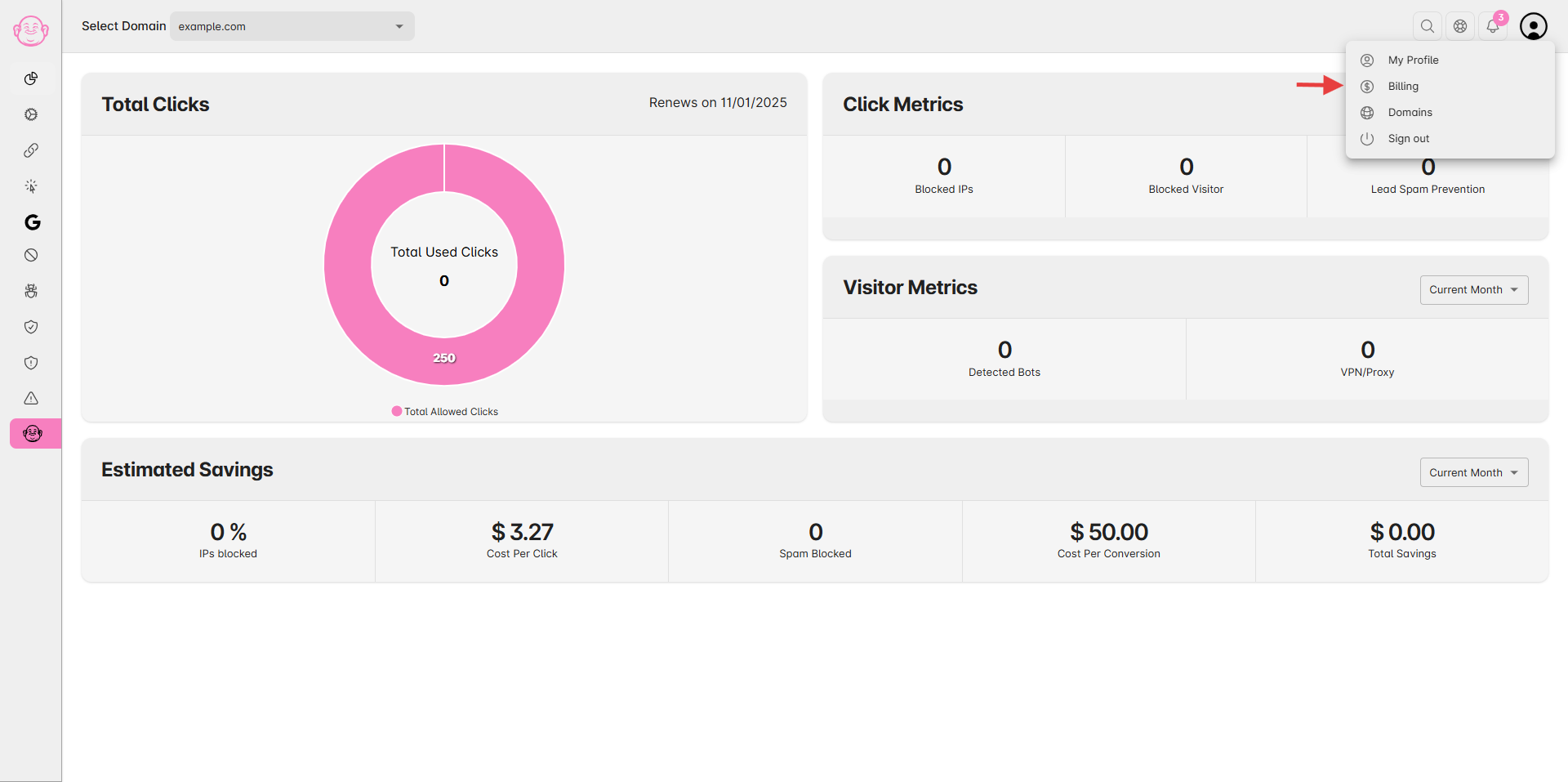
Go to My Profile from the User Profile menu.
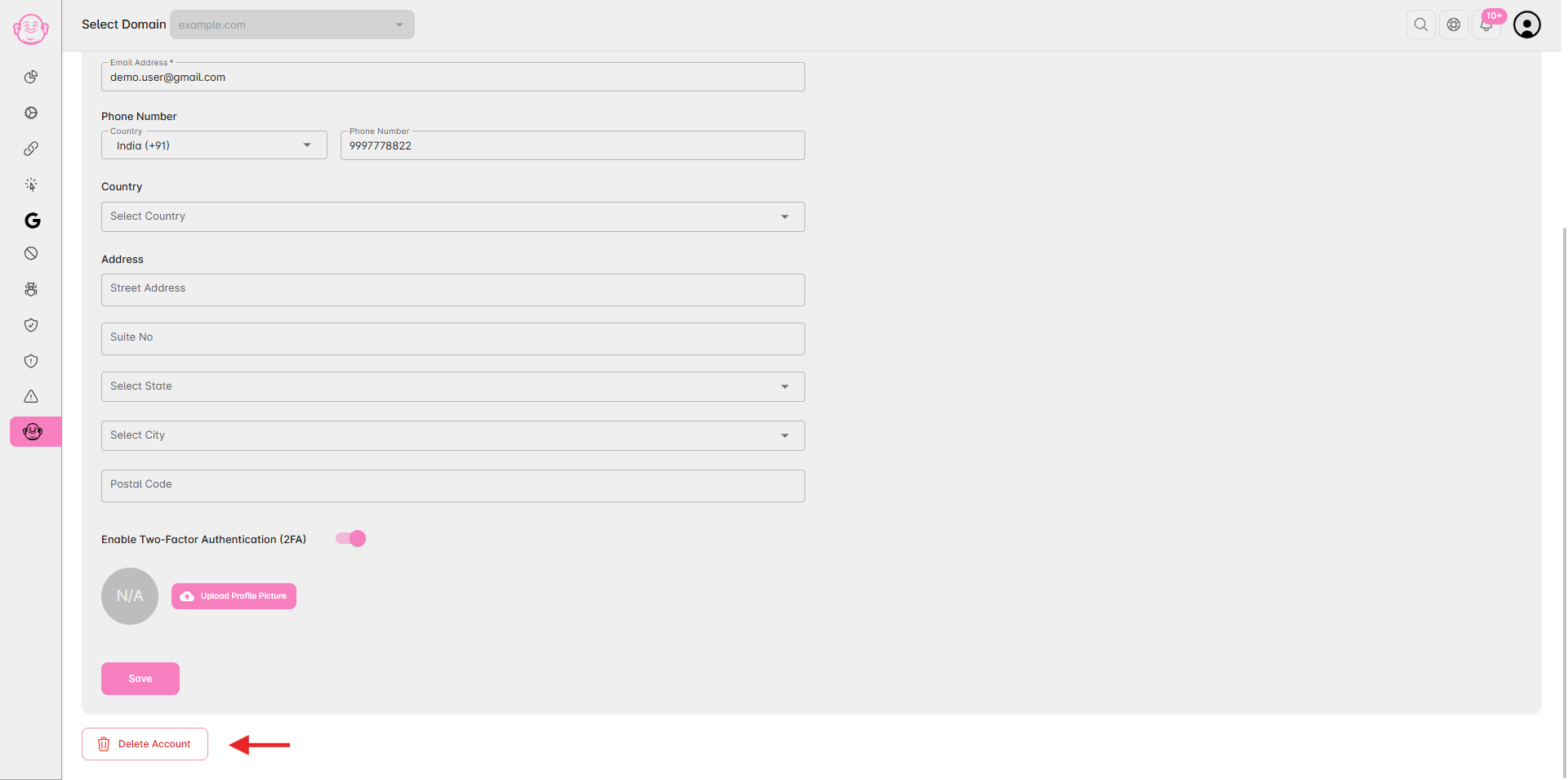
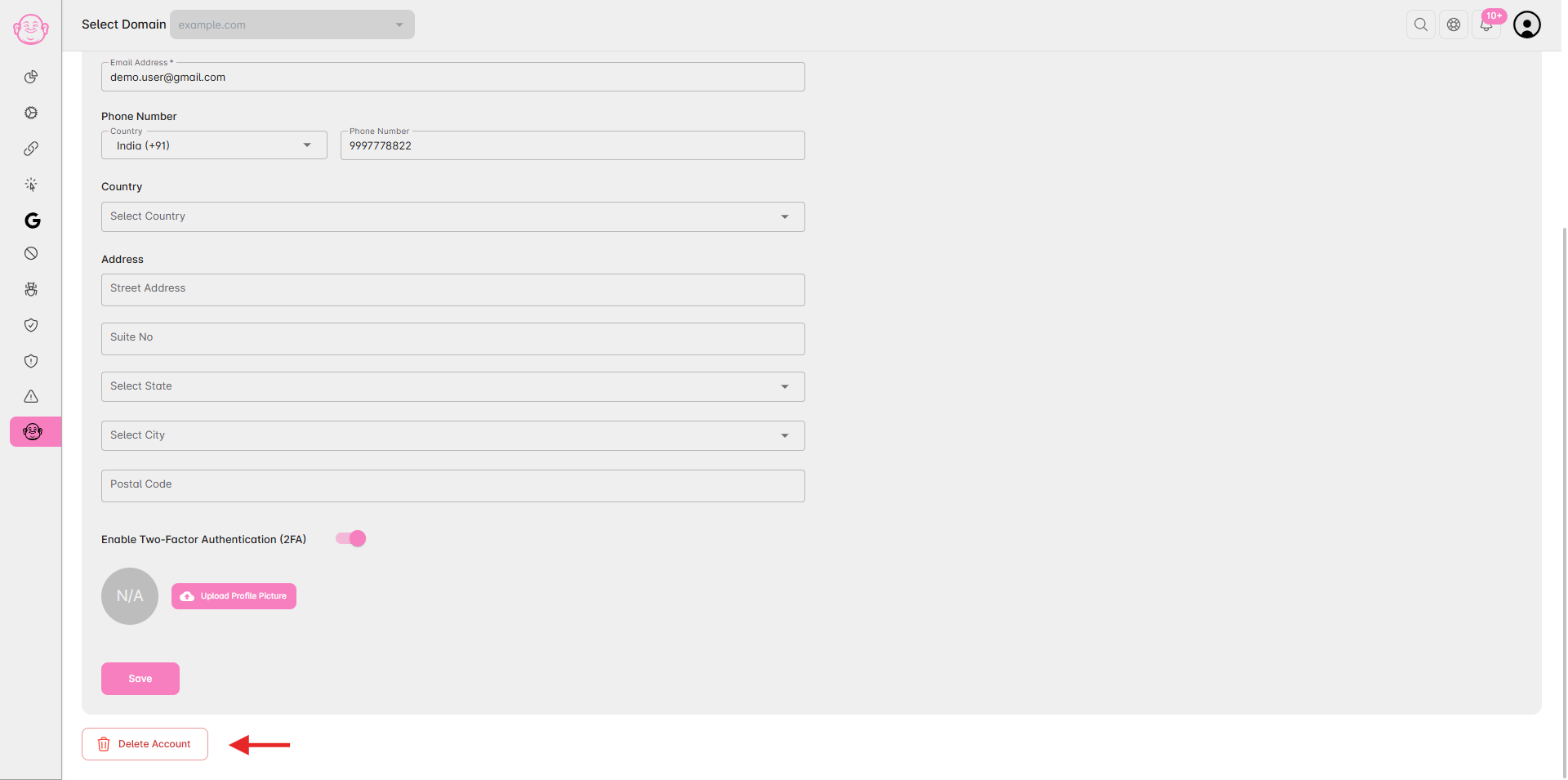
Scroll to the bottom of the page click the Delete Account button on the bottom left.
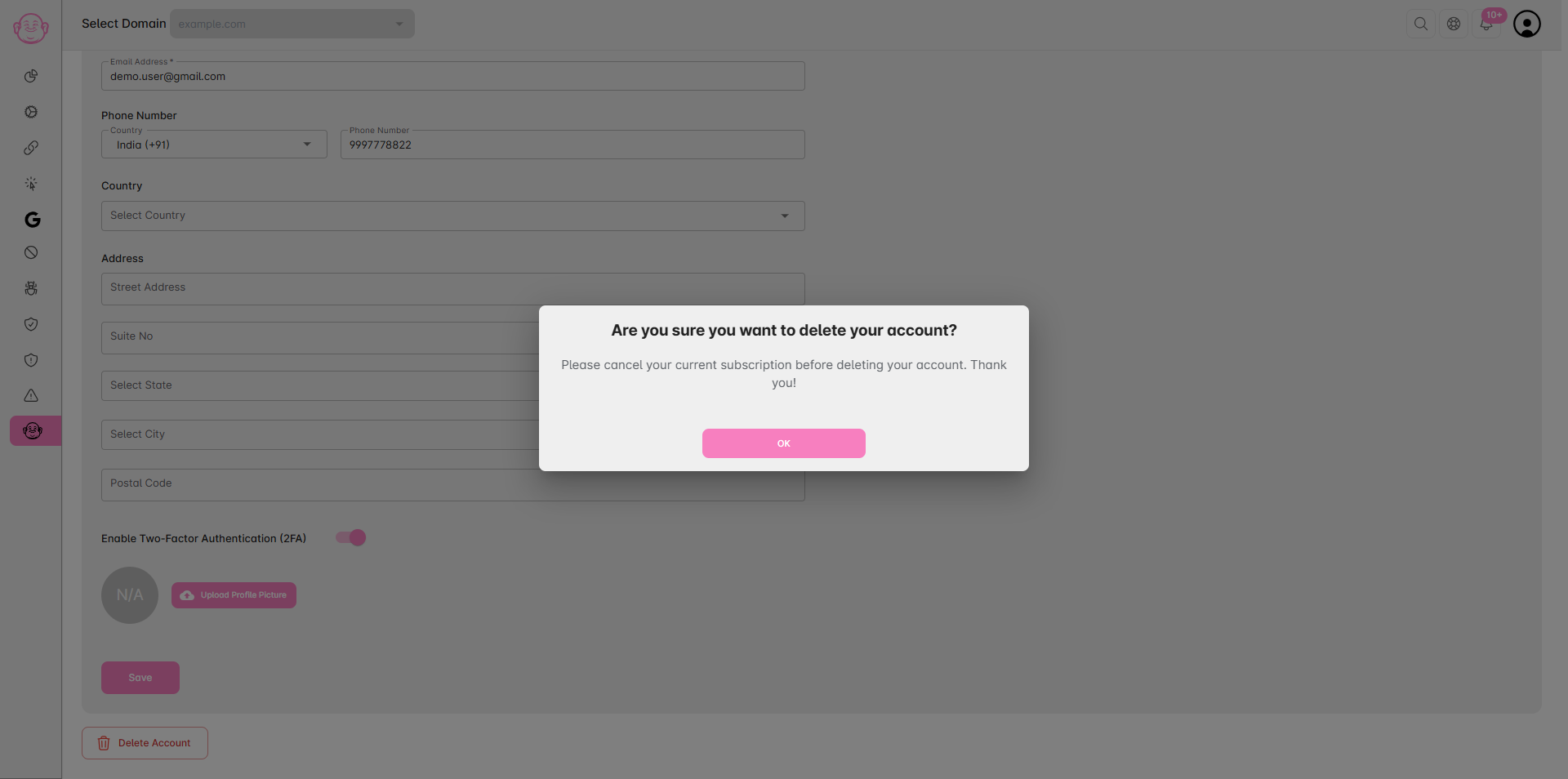
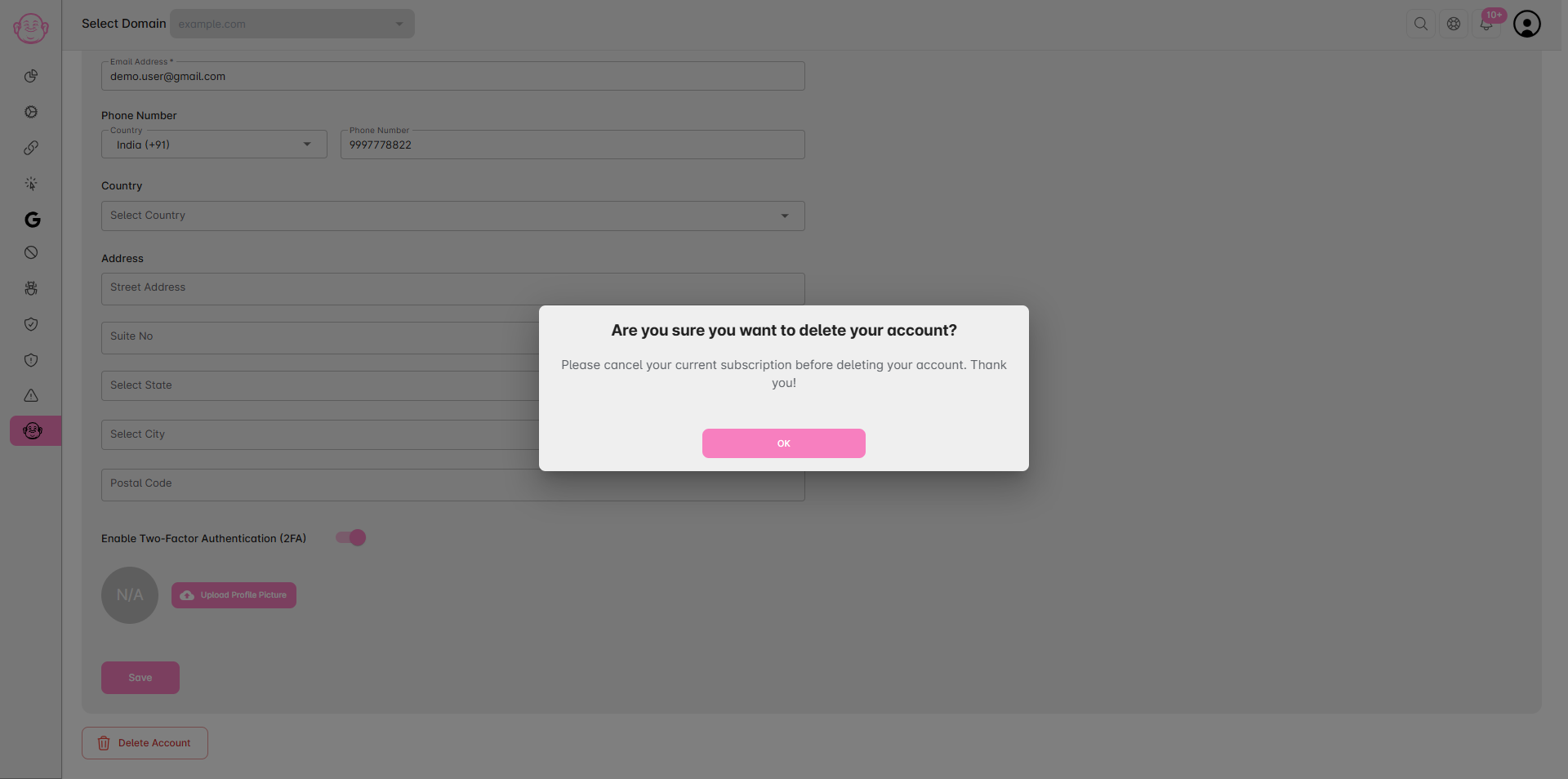
If you have an active subscription, you’ll receive a prompt to cancel your subscription first.
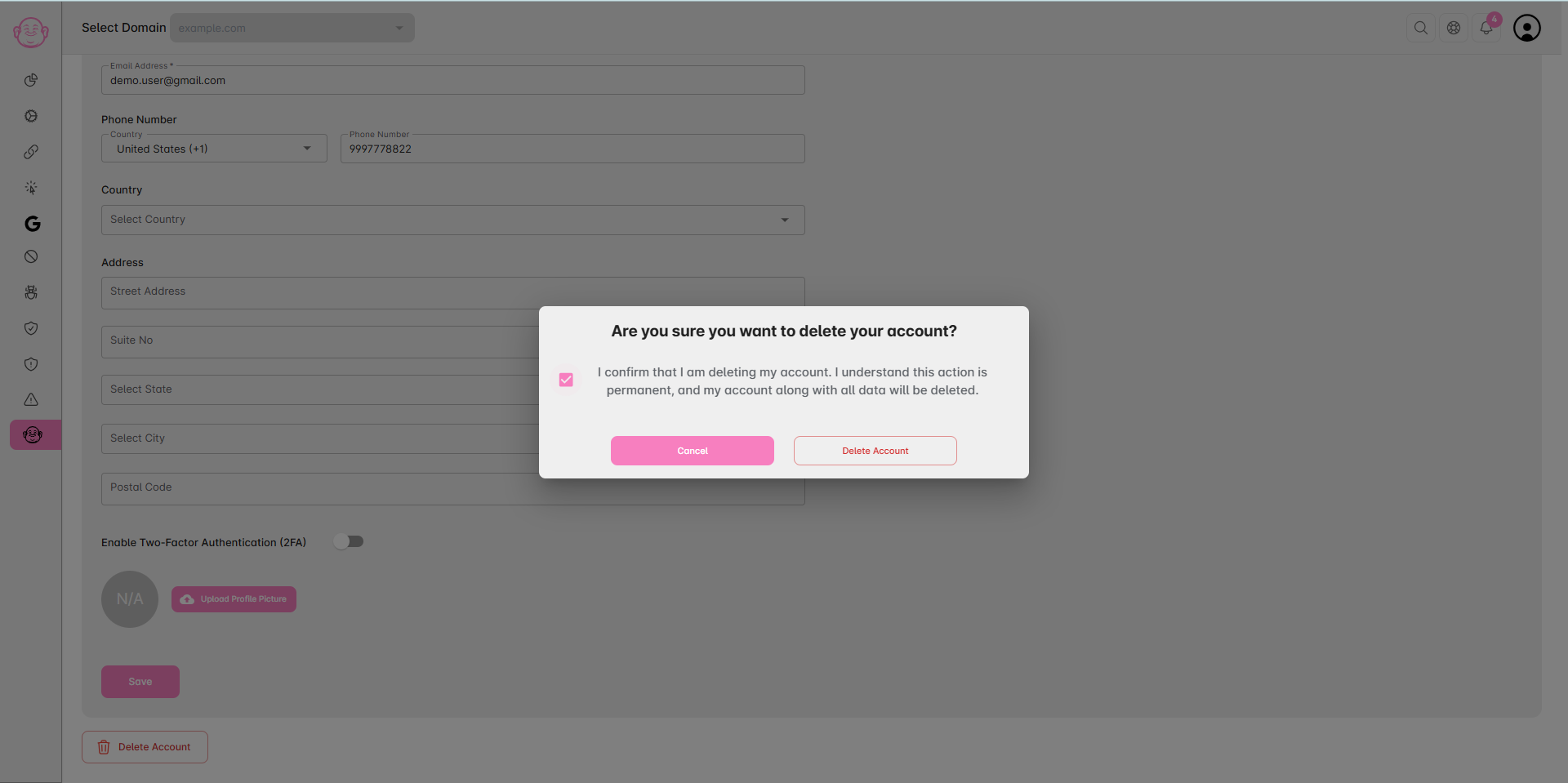
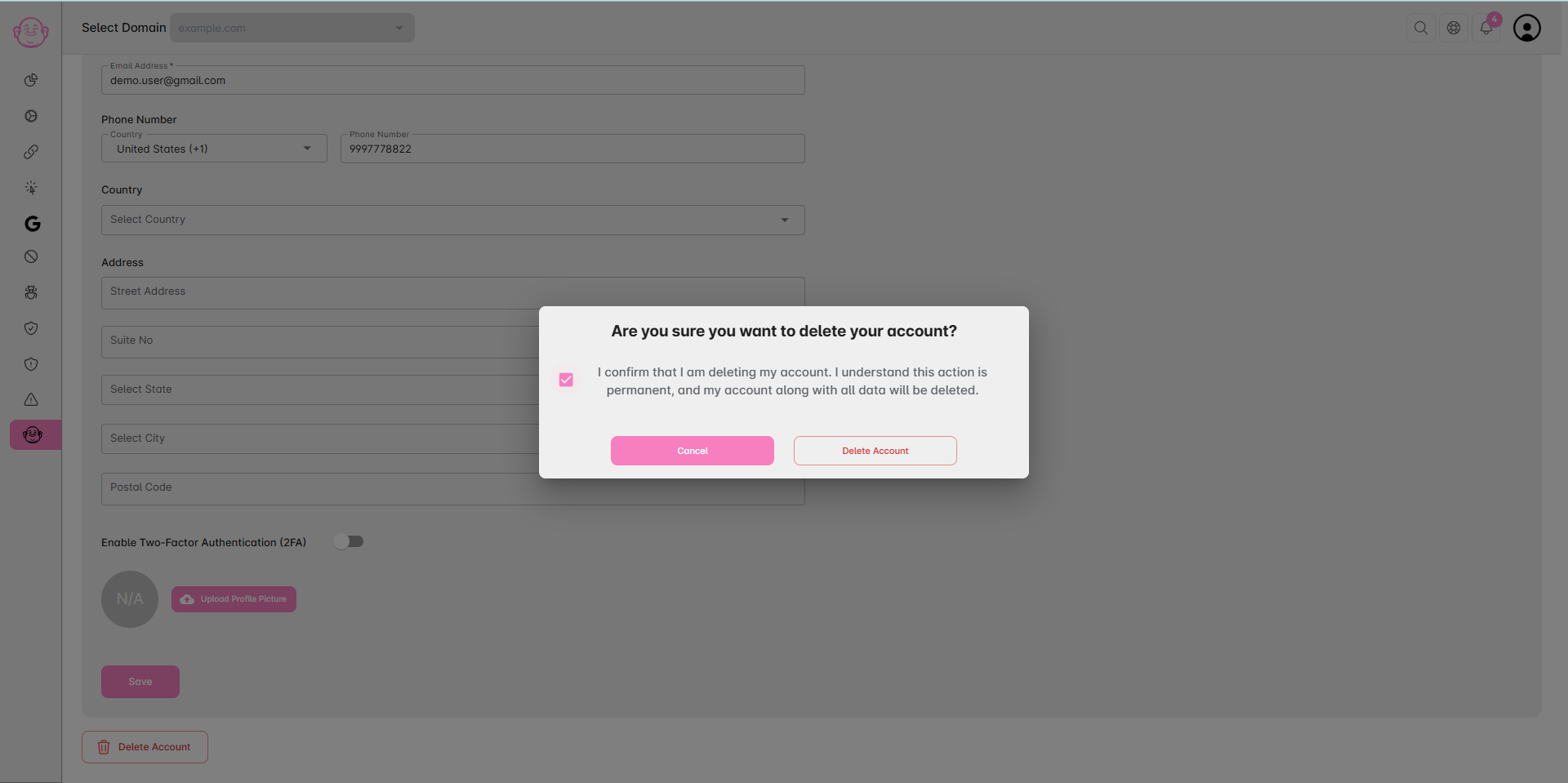
Confirm your choice to delete the account. Once confirmed, your account and all data will be permanently removed.
Method 2: Delete from Billing Section
(This option is only available if your subscription is inactive or you are on the Freemium plan)
Log in to your Click Buddha Dashboard.
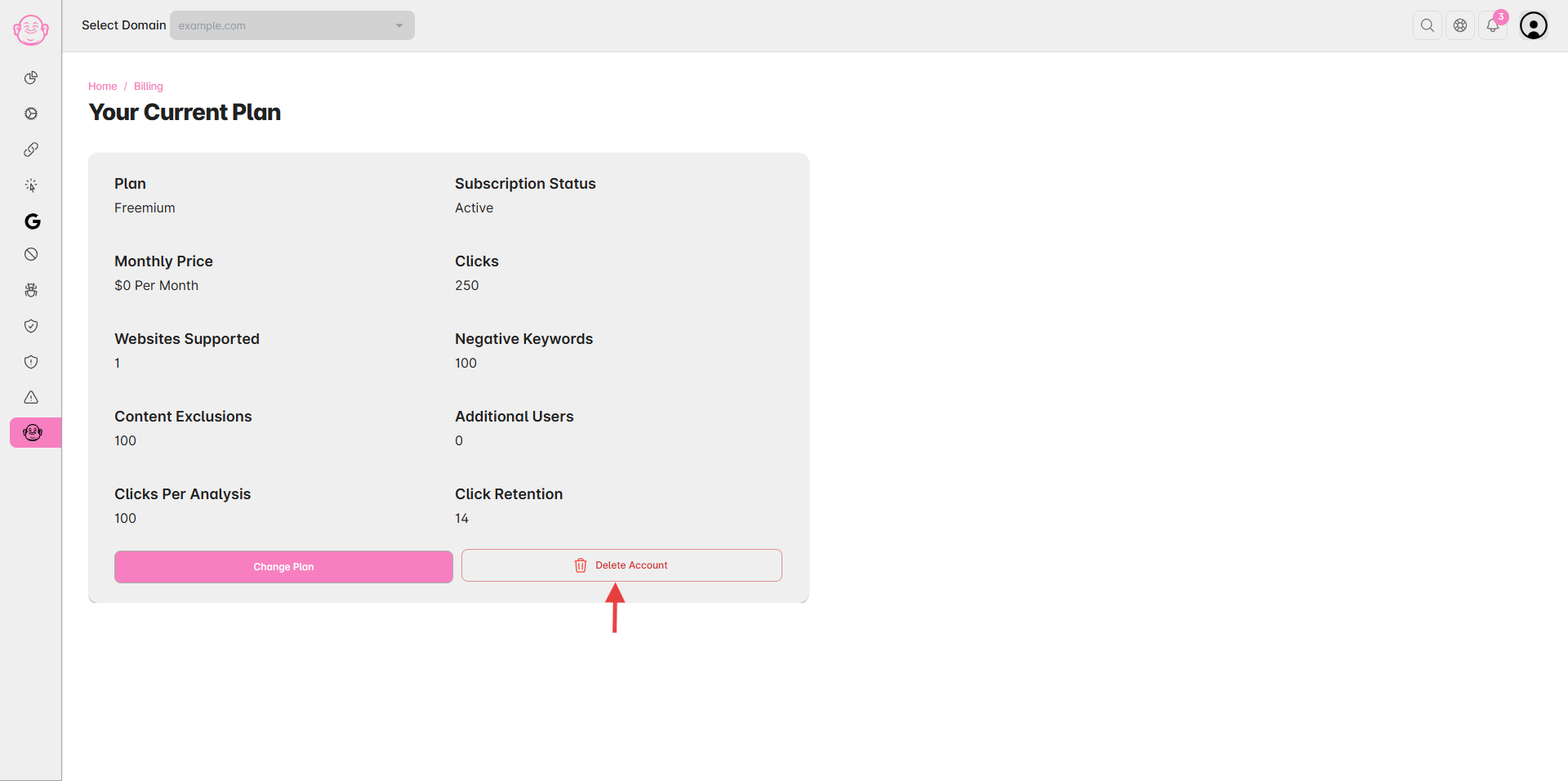
Go to Billing from the User Profile menu.
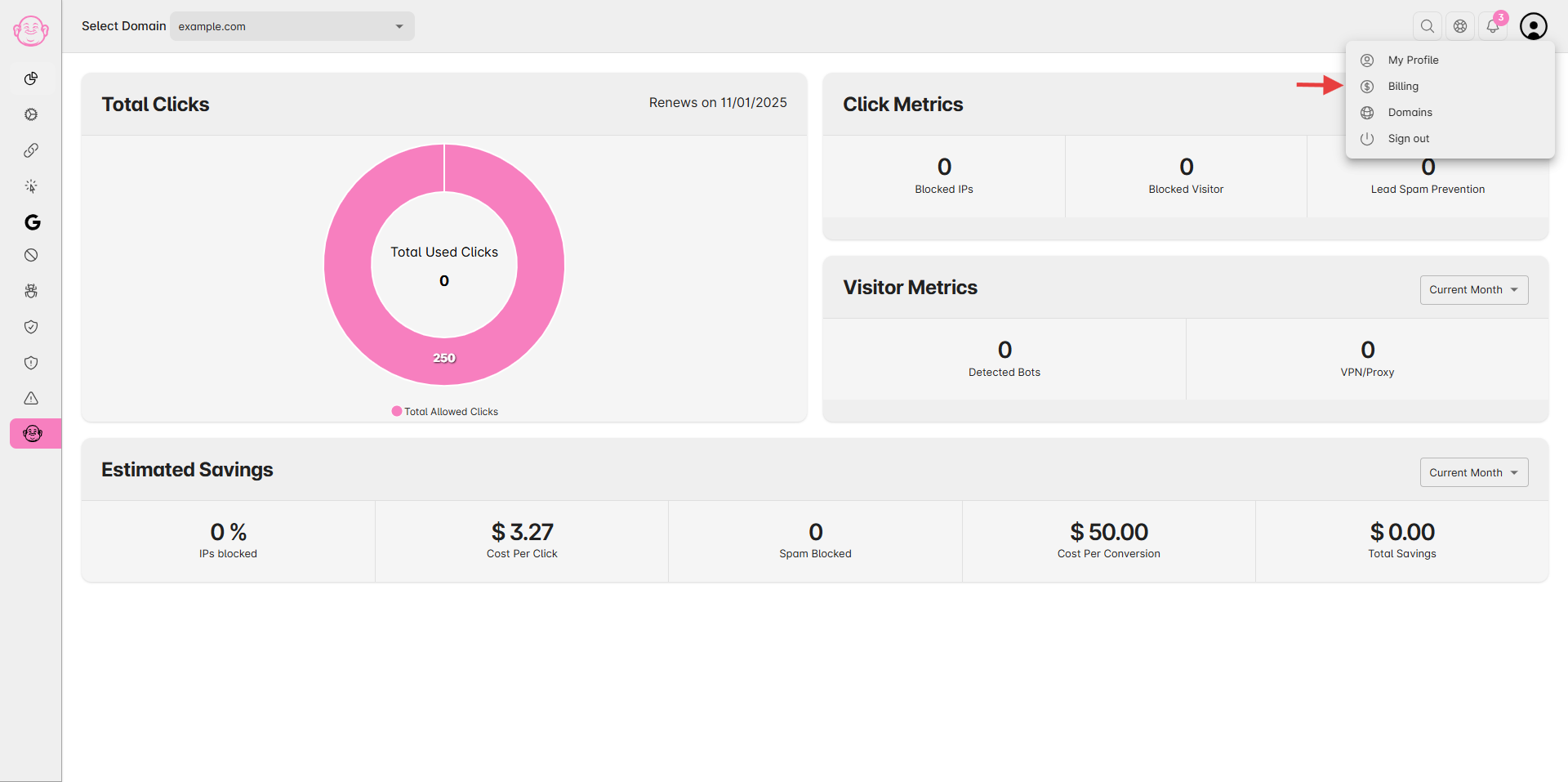
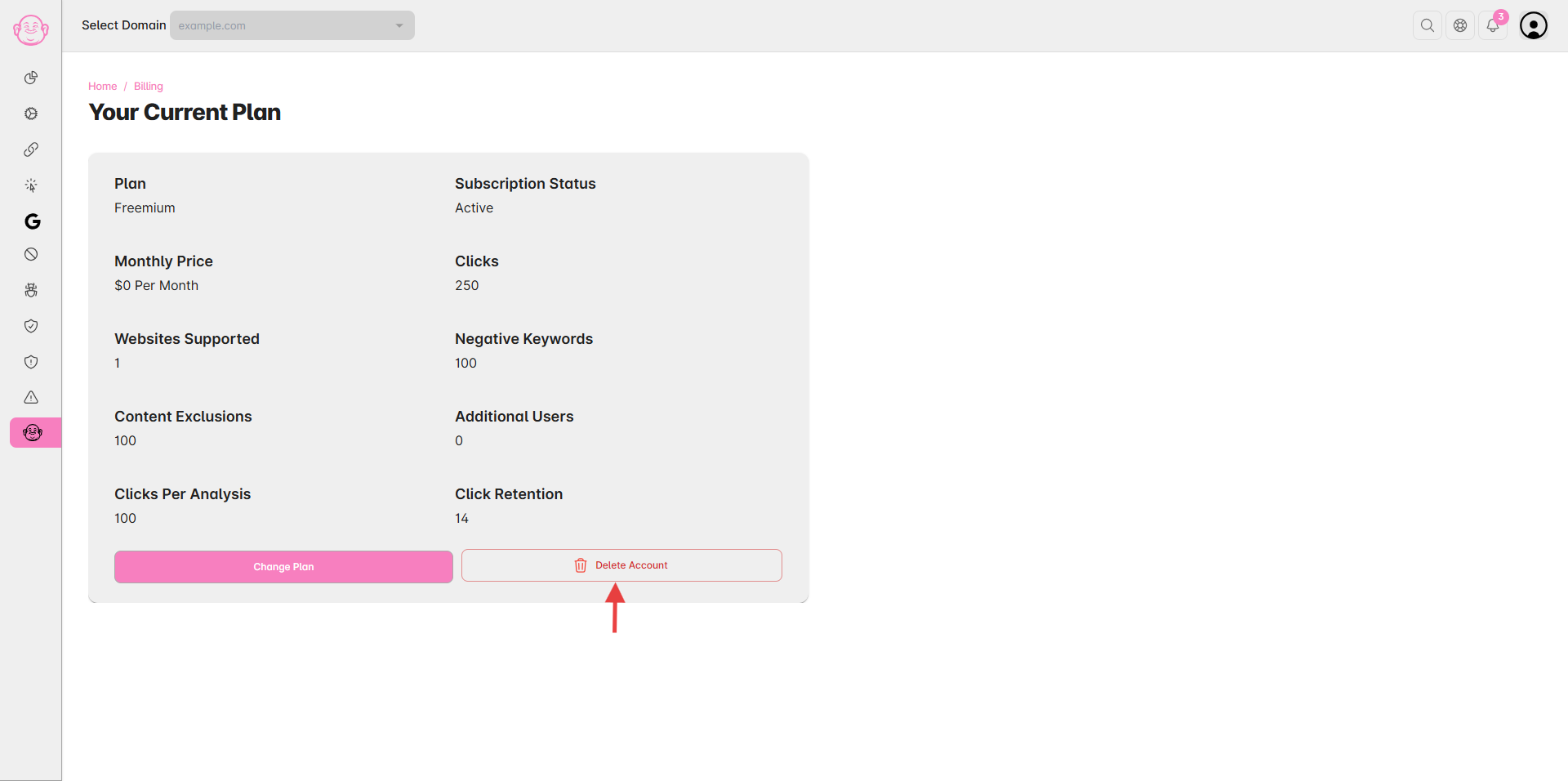
Locate the subscription details card.
Click the Delete Account button.
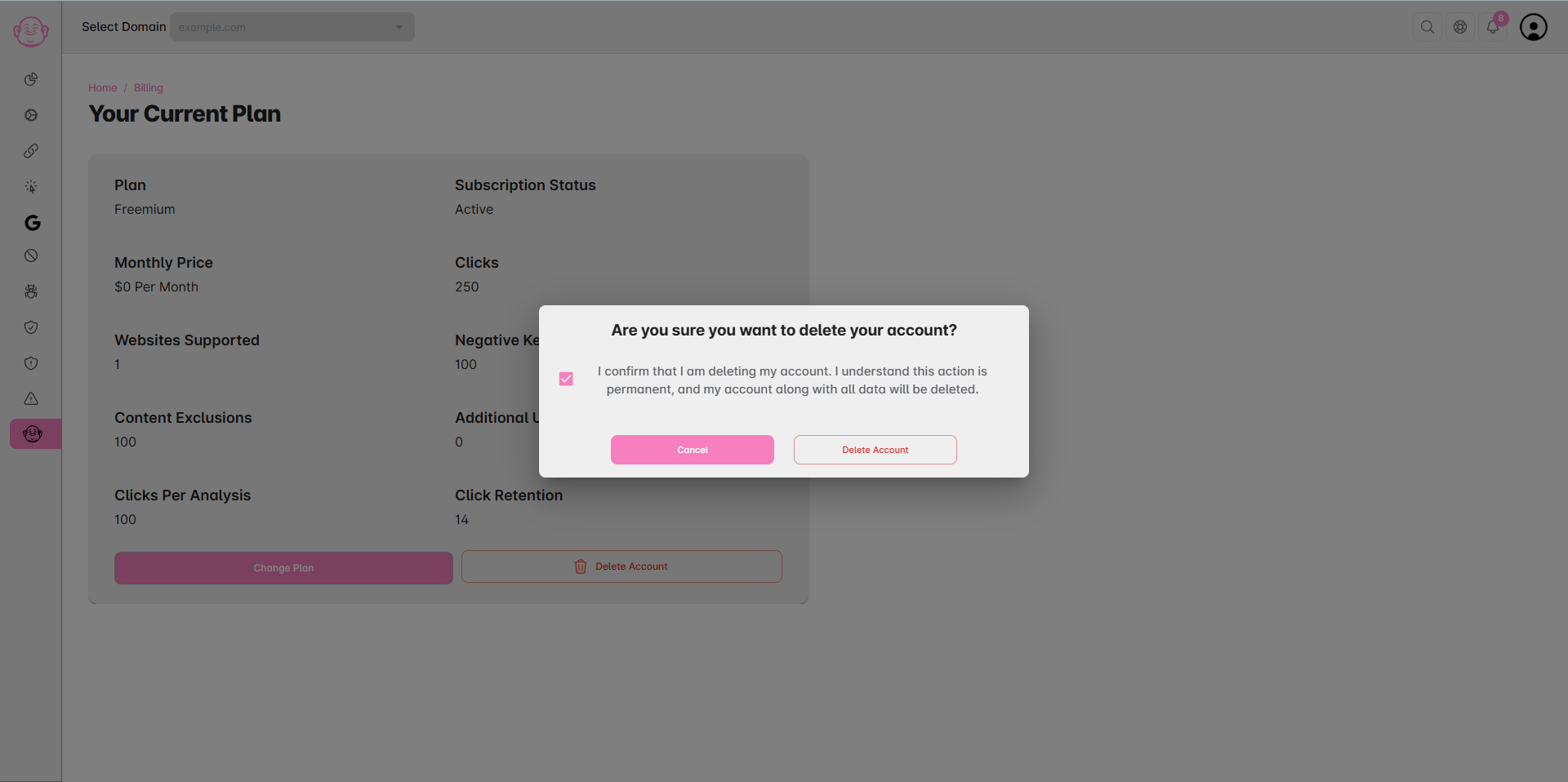
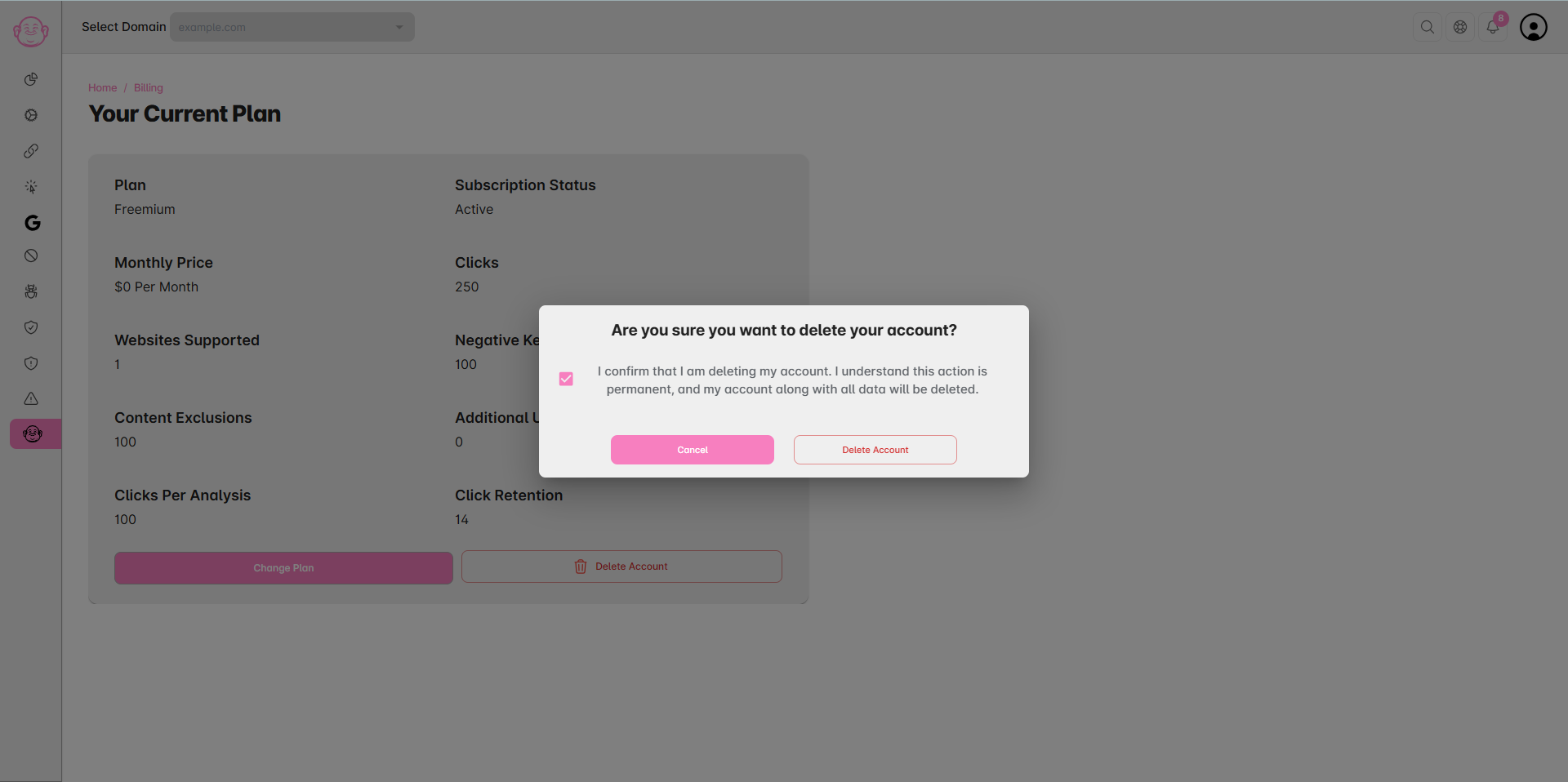
Confirm your choice to delete the account permanently.
✅ Important:
Deleting your account cannot be reversed.
All domains, blocked IPs, Click Zen analysis, and historical data will be permanently deleted.
Make sure to download any invoices, reports, or data you may need before deletion.