
If a user account has been suspended, you can easily restore their access from the Users section of your Click Buddha dashboard.
Step 1: Go to Click Buddha Dashboard
Go to your Click Buddha Dashboard.
Step 2: Open the Users Section
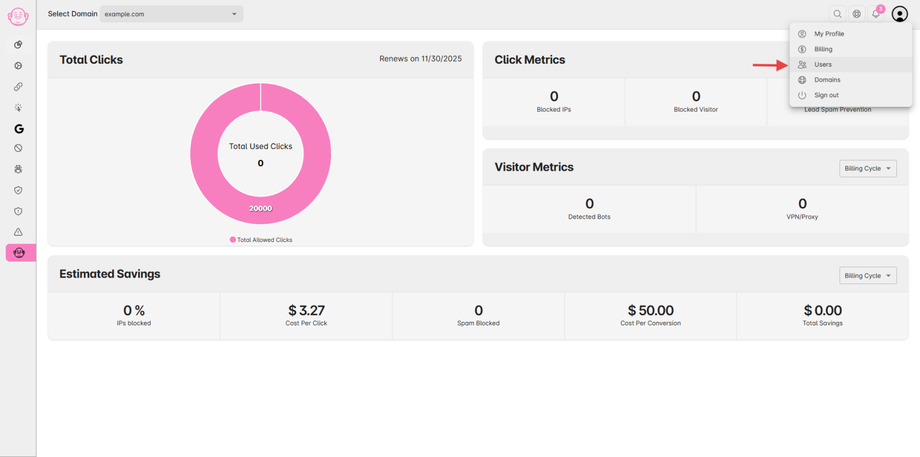
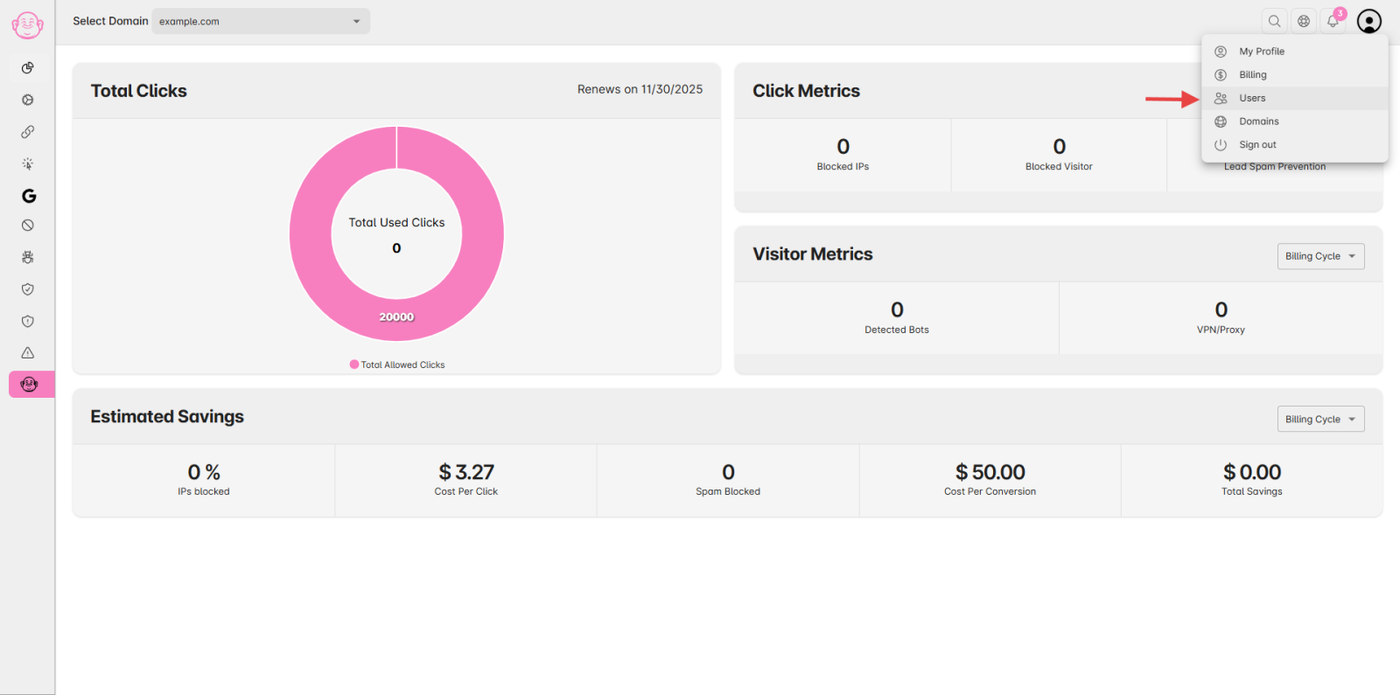
From the User Profile menu, click Users to view all users under your account.
Suspended users are usually marked with an Inactive status.
Step 3: Reactivate the User
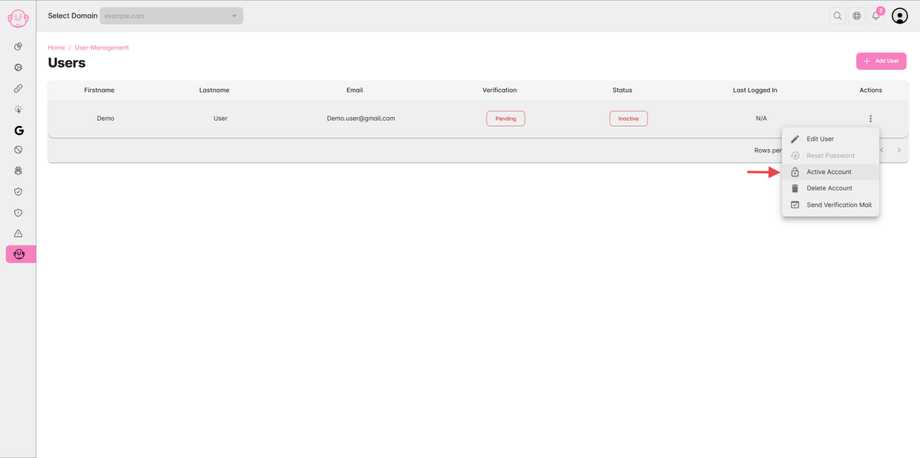
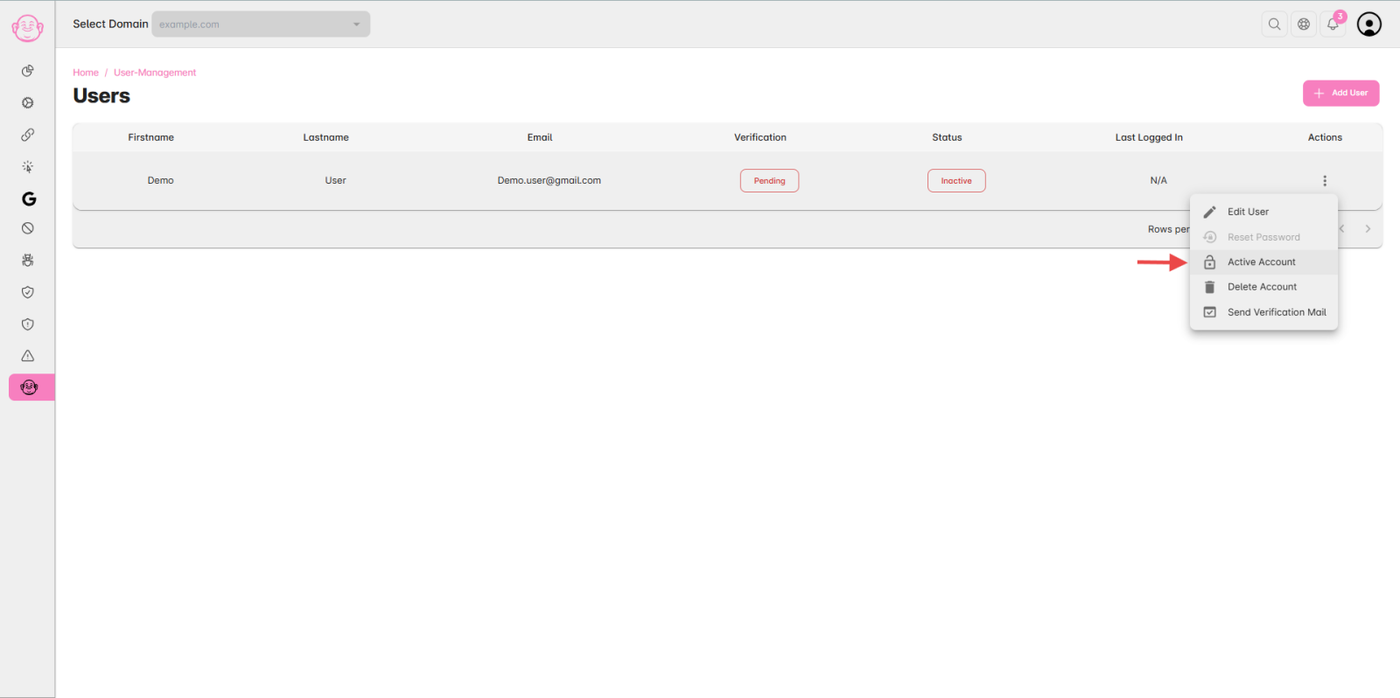
Find the suspended user in the Users Table.
Click on the Action (⋮) icon (three vertical dots) in the last column.
Select Active Account from the dropdown menu.
The user’s access will be immediately restored.
✅ Note:
Only Admins or Account Owners can reactivate suspended accounts.
Once reactivated, the user can log in using their existing credentials.