
You can easily view, manage, or upgrade your Click Buddha subscription plan anytime from your dashboard.
Step 1: Log in to Click Buddha
-
Login to your account and Open your Click Buddha Dashboard.
Step 2: Go to Billing
-
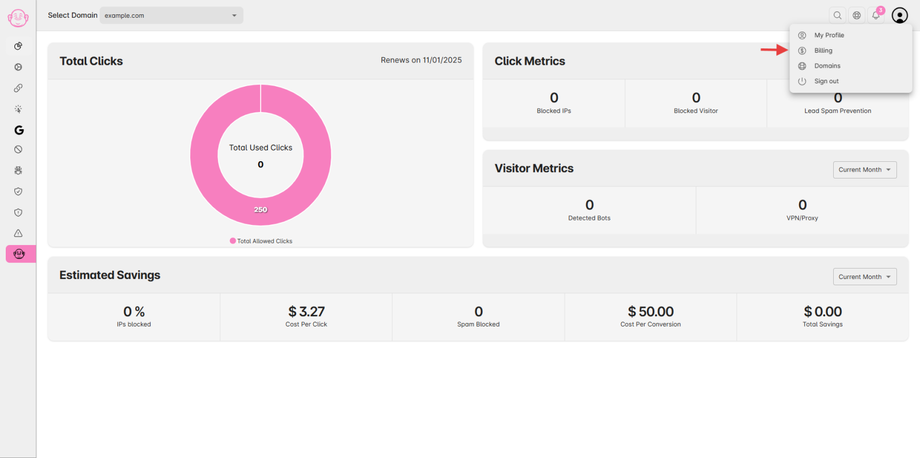
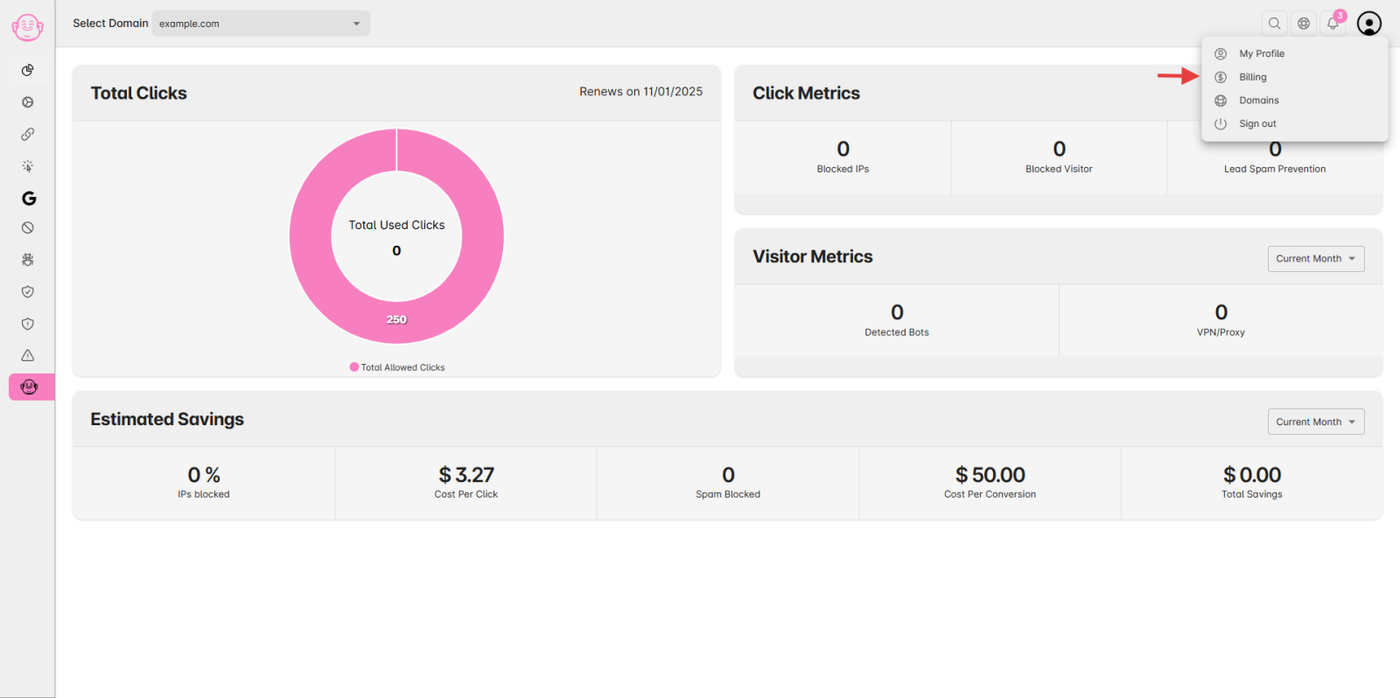
Click on your User Profile menu in the top-right corner.
-
Select Billing from the dropdown.
Step 3: View Current Plan
-
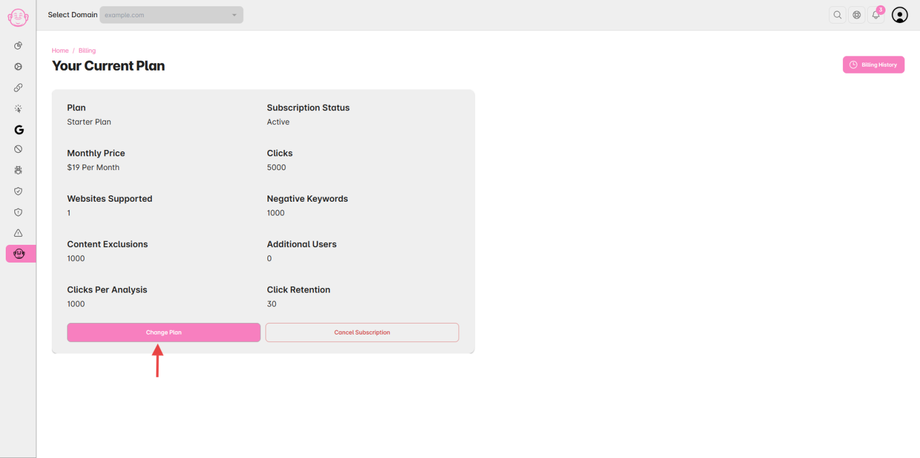
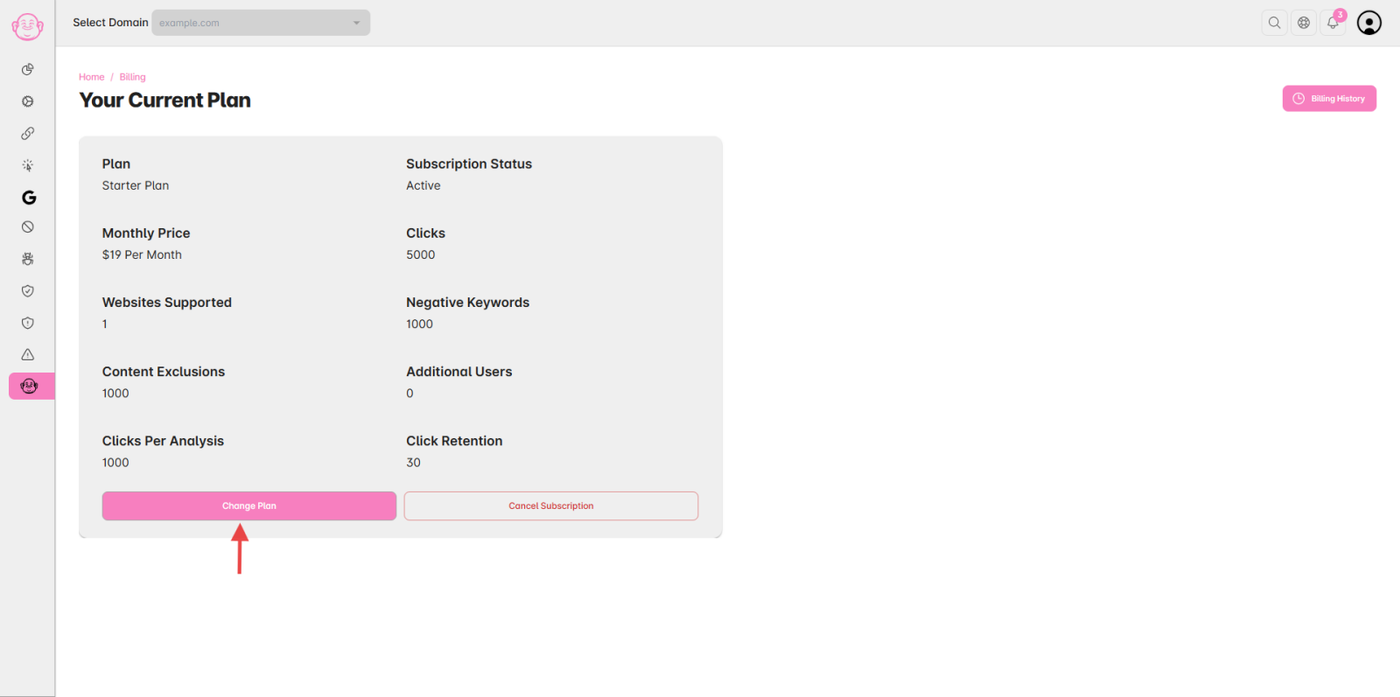
You’ll see your current plan details displayed on the Billing page.
-
Click the “Change Plan” button.
Step 4: Choose a New Plan
-
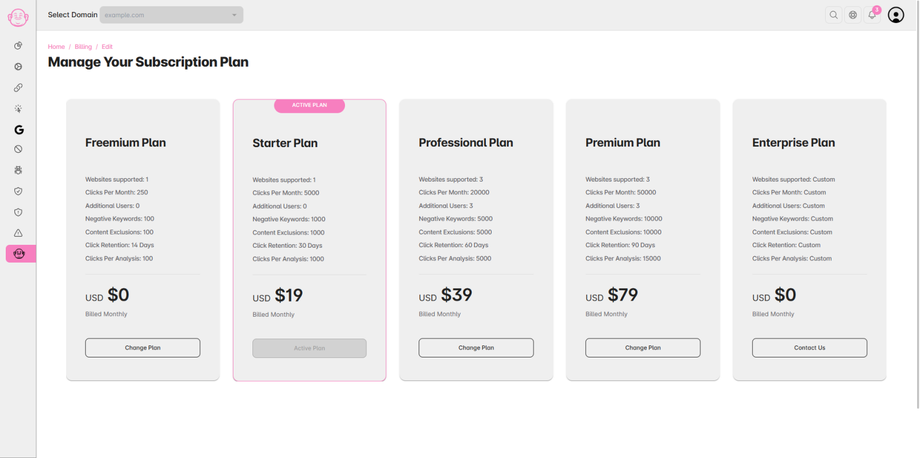
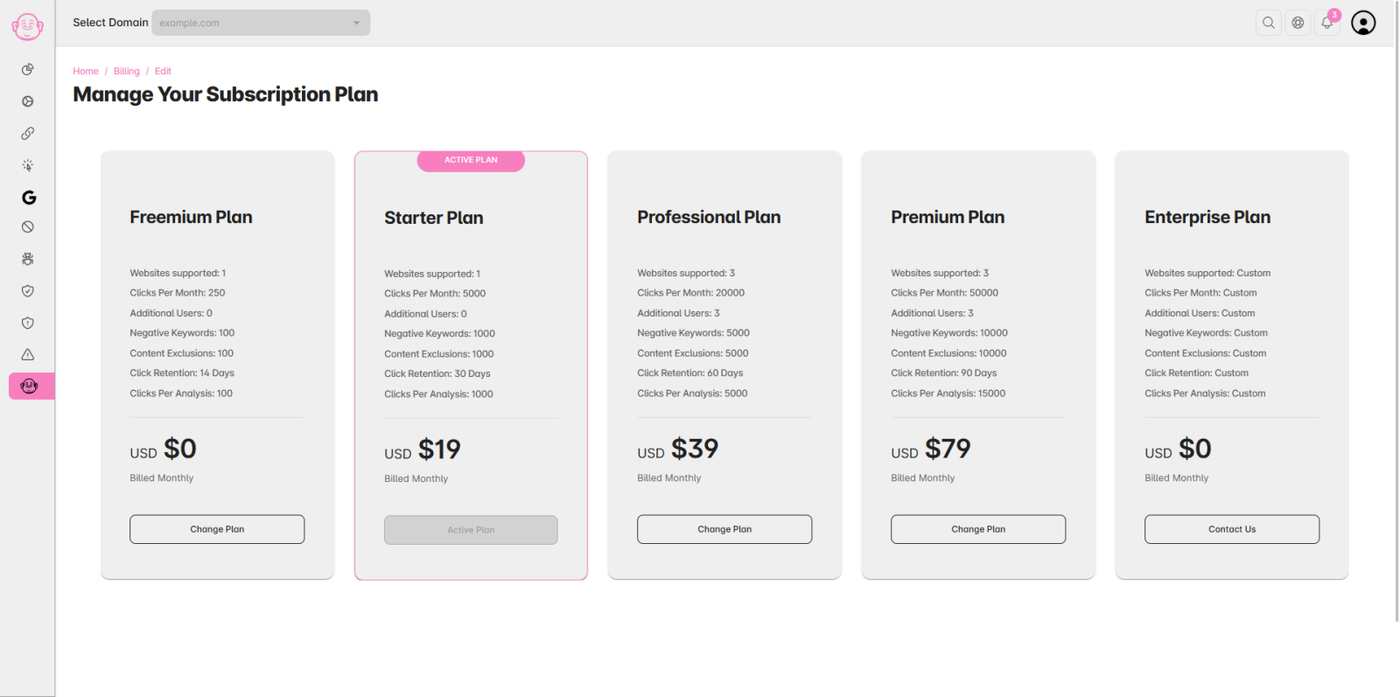
A list of available plans will appear.
-
Browse through the Plan Cards and select the plan you wish to upgrade.
-
Click “Change Plan.”
Step 5: Confirm Upgrade
-
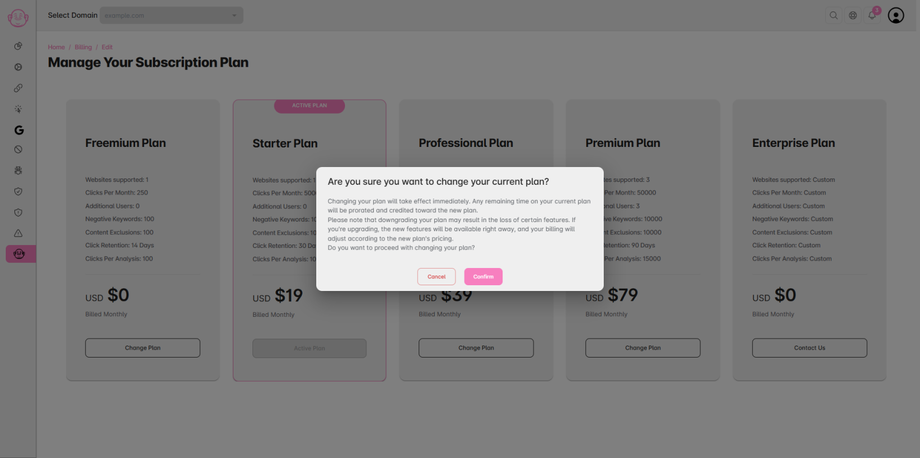
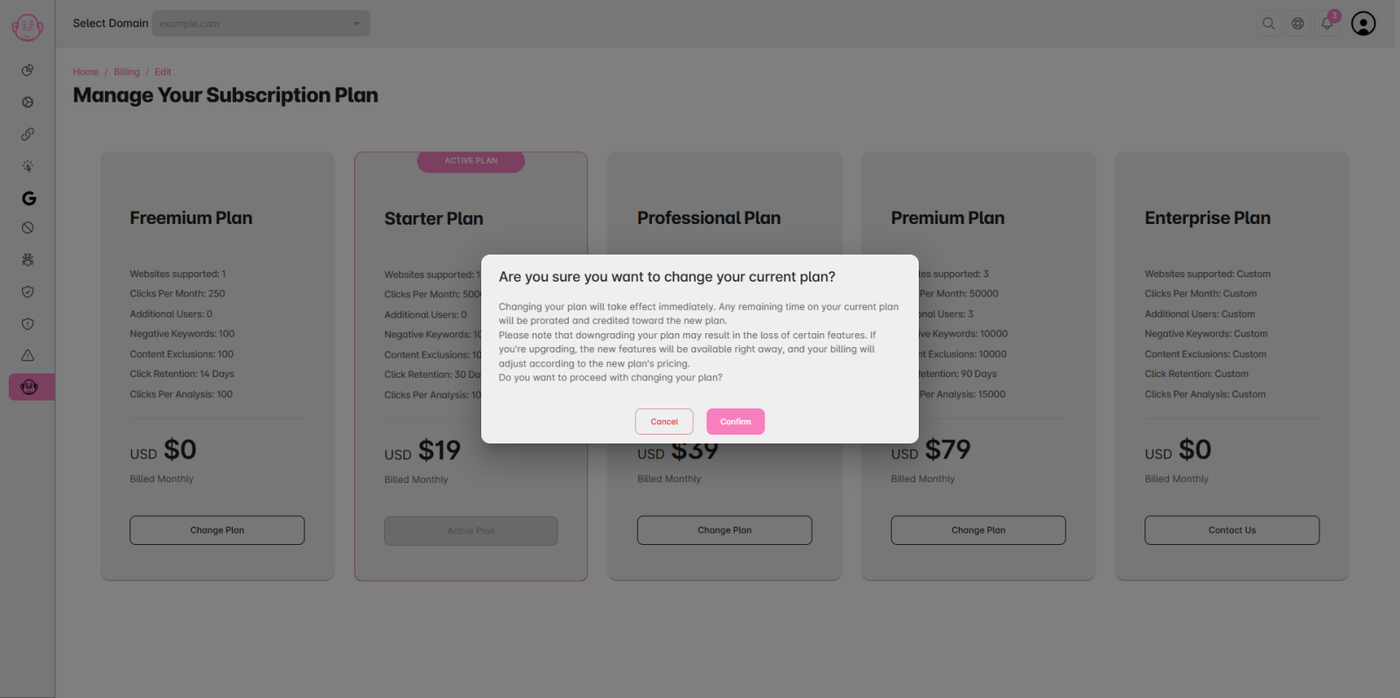
A confirmation prompt will appear with details based on your selected plan.
-
Review the information and confirm to complete the upgrade.
Step 6: Plan Adjustment
-
Your plan will be successfully updated.
-
Any difference in the plan amount will be adjusted and reflected in your next billing cycle.
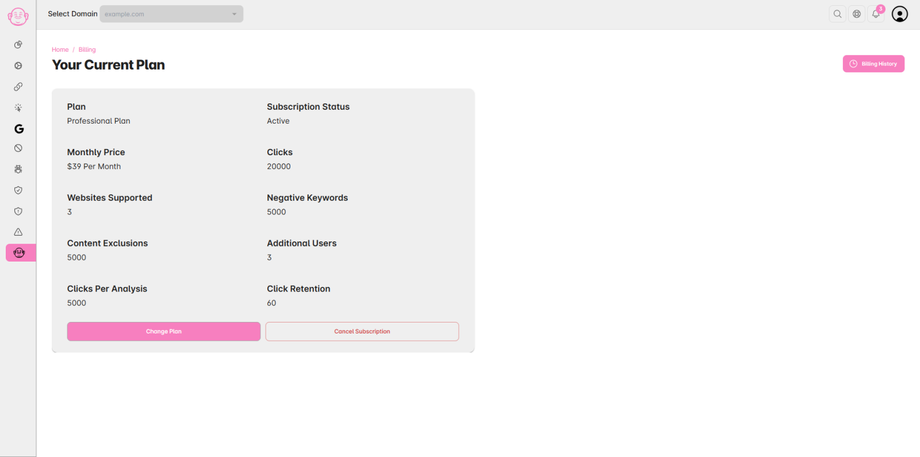
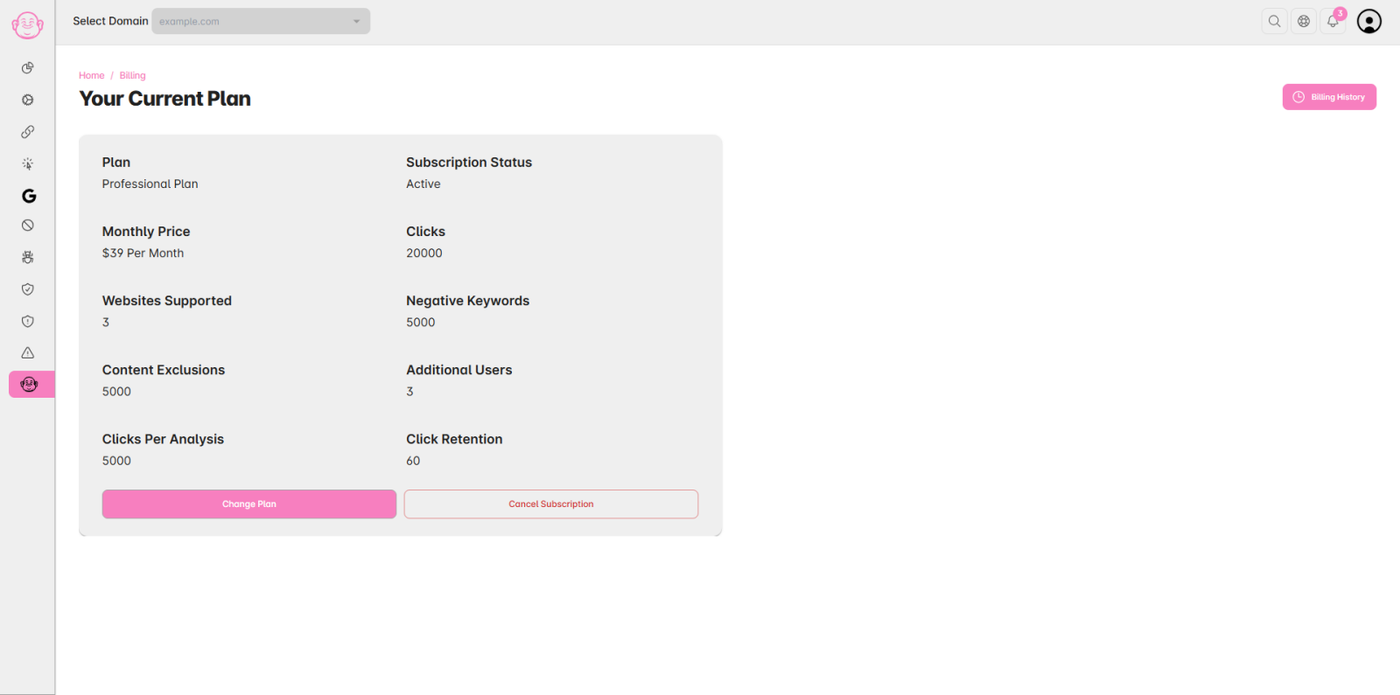
⚠️ Note: The plan details shown in the Images are for demo or testing purposes.