
Bot Detection in Click Buddha helps you identify and block automated or malicious bot traffic that can waste ad spend, inflate metrics, or harm your website performance.
It monitors visitor behavior, IP reputation, and device fingerprints to detect non-human interactions in real time.
Step 1: Log in to Click Buddha
Login into your account and Open your Click Buddha Dashboard.
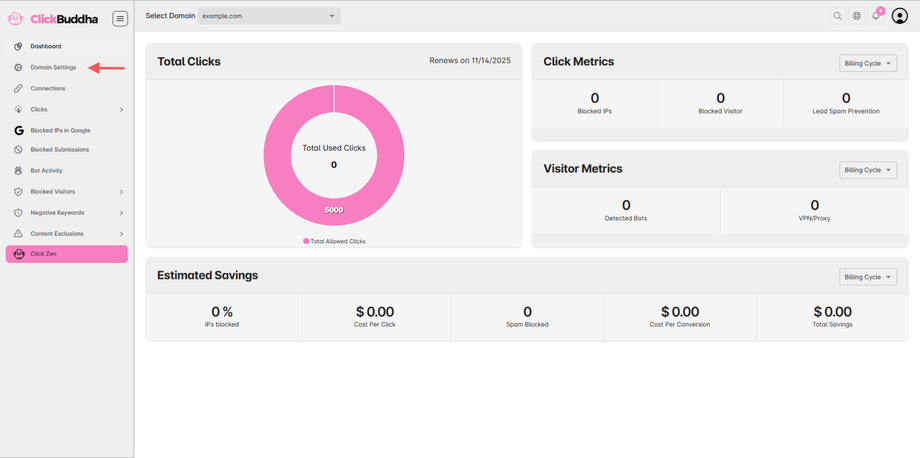
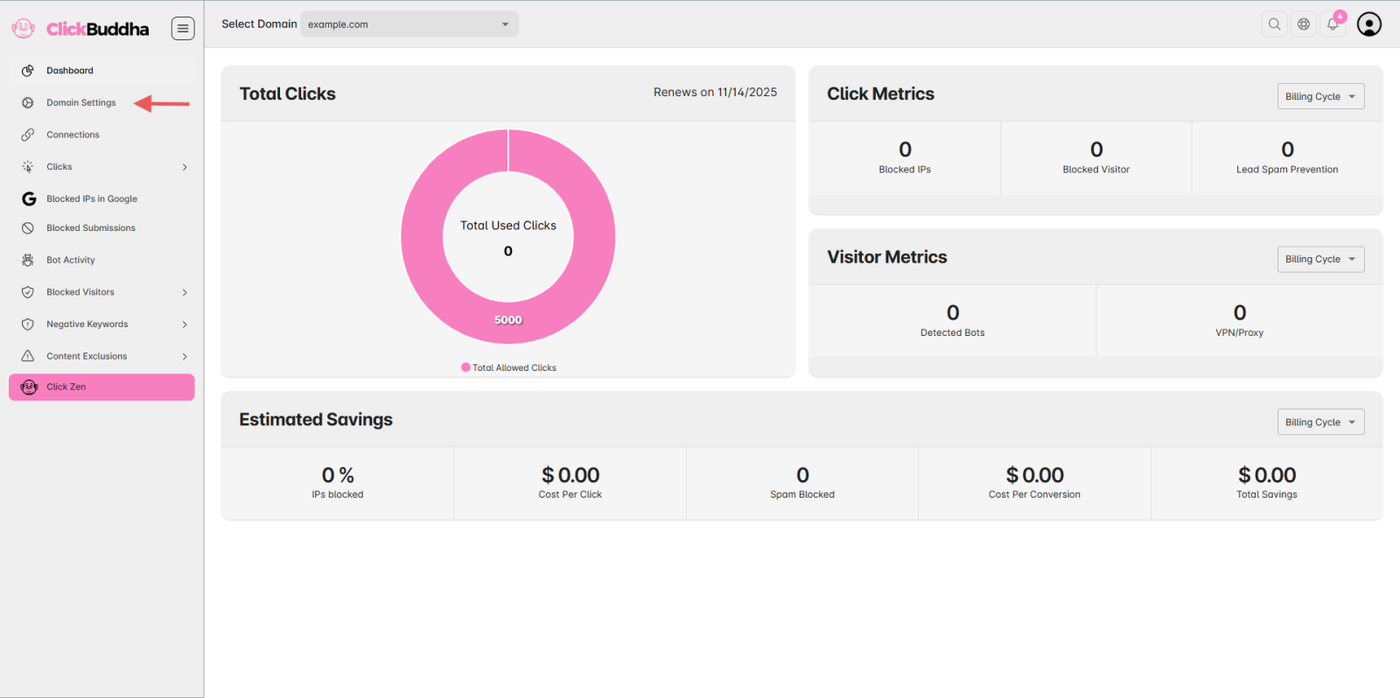
Step 2: Go to Domain Settings
From the sidebar, open Domain Settings.
Step 3: Scroll to Website Protection
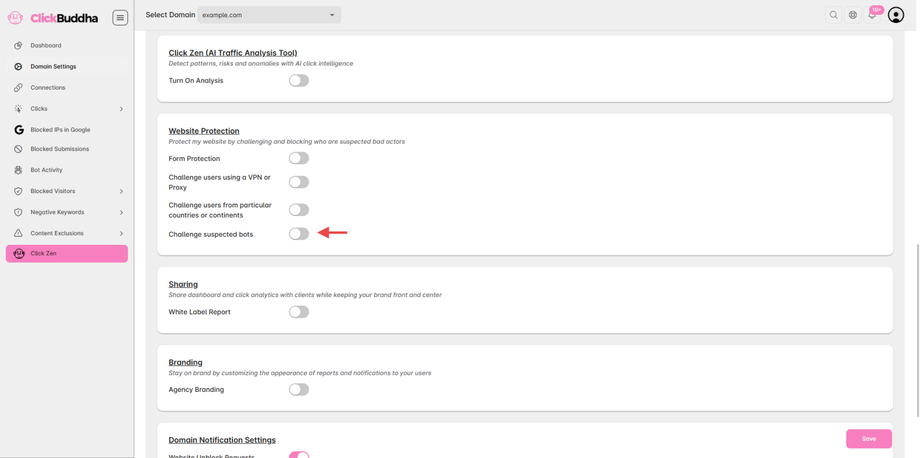
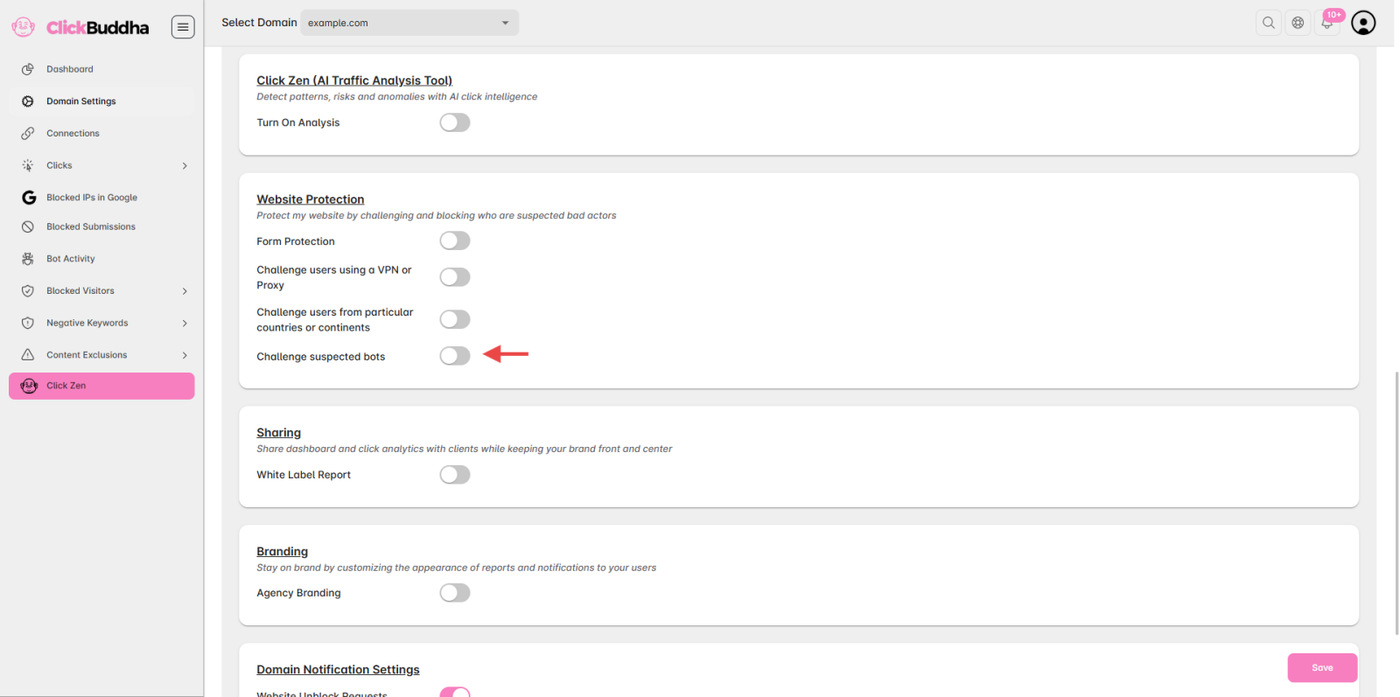
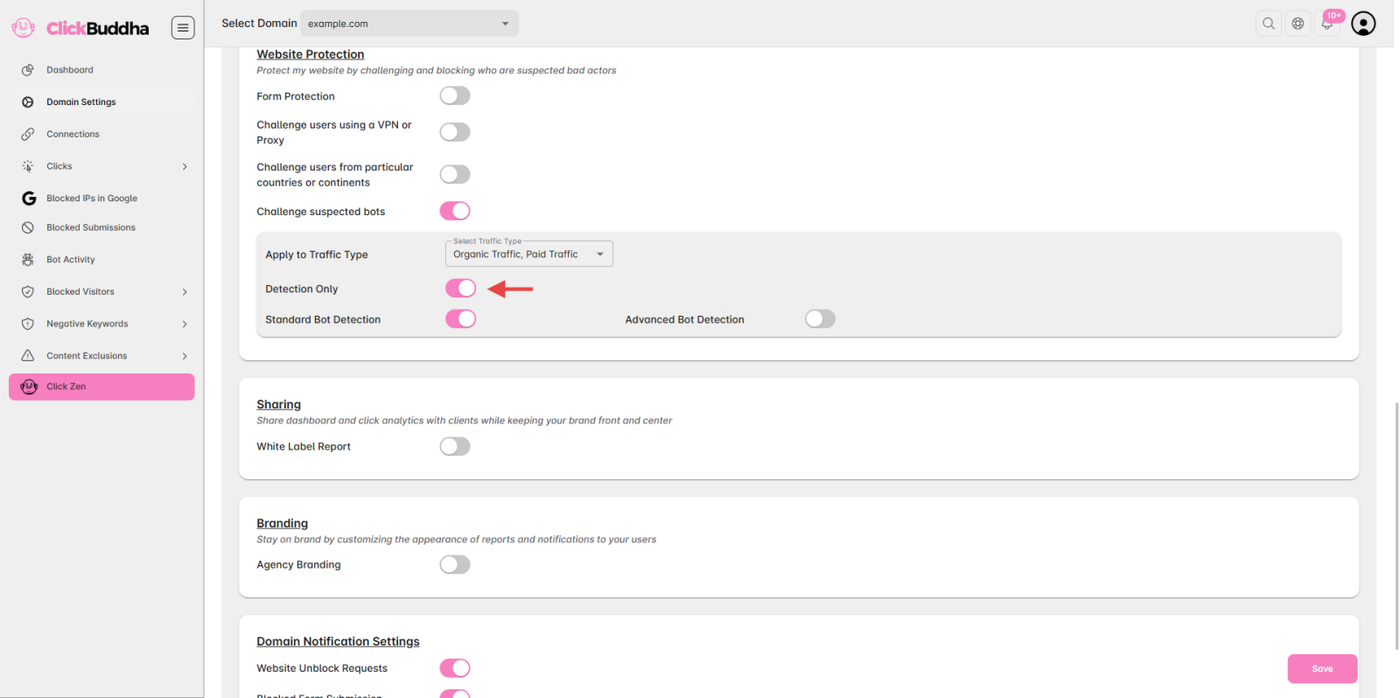
Find the Challenge suspected bots Toggle under Website Protection.
You’ll see options to enable or configure detection modes.
Step 4: Enable Bot Detection
Toggle ON the Detection Only option.
You can choose between different detection modes:
🟢 Standard Bot Detection
Detects and logs basic automated traffic.
Ideal for identifying low-level bots such as crawlers or scrapers.
🔵 Advanced Bot Detection
Uses advanced customer behavioral analysis.
Detects high-risk or stealth bots attempting to mimic real users.
Step 5: Save Changes
After configuring your preferred settings, click Save Settings.
Bot Detection will now start monitoring all visitors in real time.
✅ Tip:
Start with Detection Mode for a few days to monitor accuracy.
Review detected bot activity in Website Protection → Challenge suspected bots to adjust your rules.
Combine Bot Detection with VPN/Proxy and Form Protection for maximum website security.