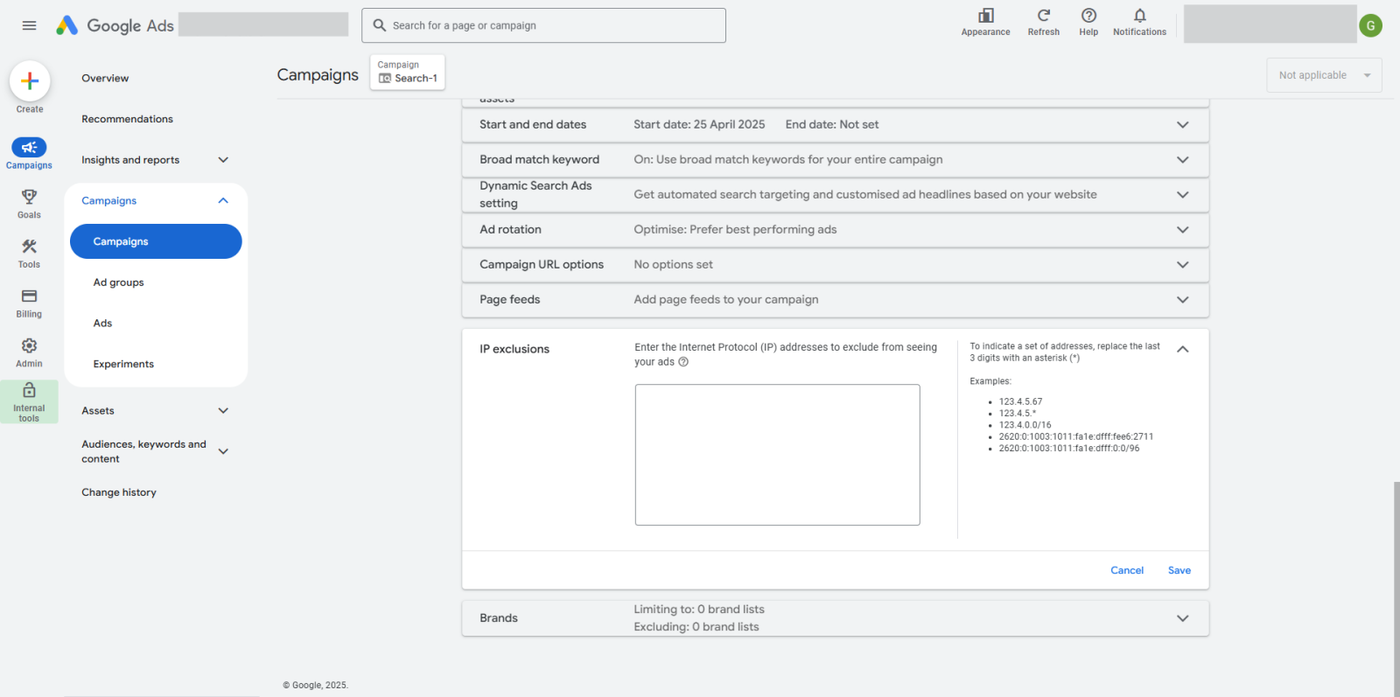
If you’ve previously blocked an IP address and want to allow it again, Click Buddha lets you easily remove it from your Google Ads exclusion list — right from your dashboard.
Step 1: Go to Click Logs
Log in to your Click Buddha Dashboard.
From the sidebar, open Click Logs.
This section shows all tracked clicks, including those you’ve previously blocked.
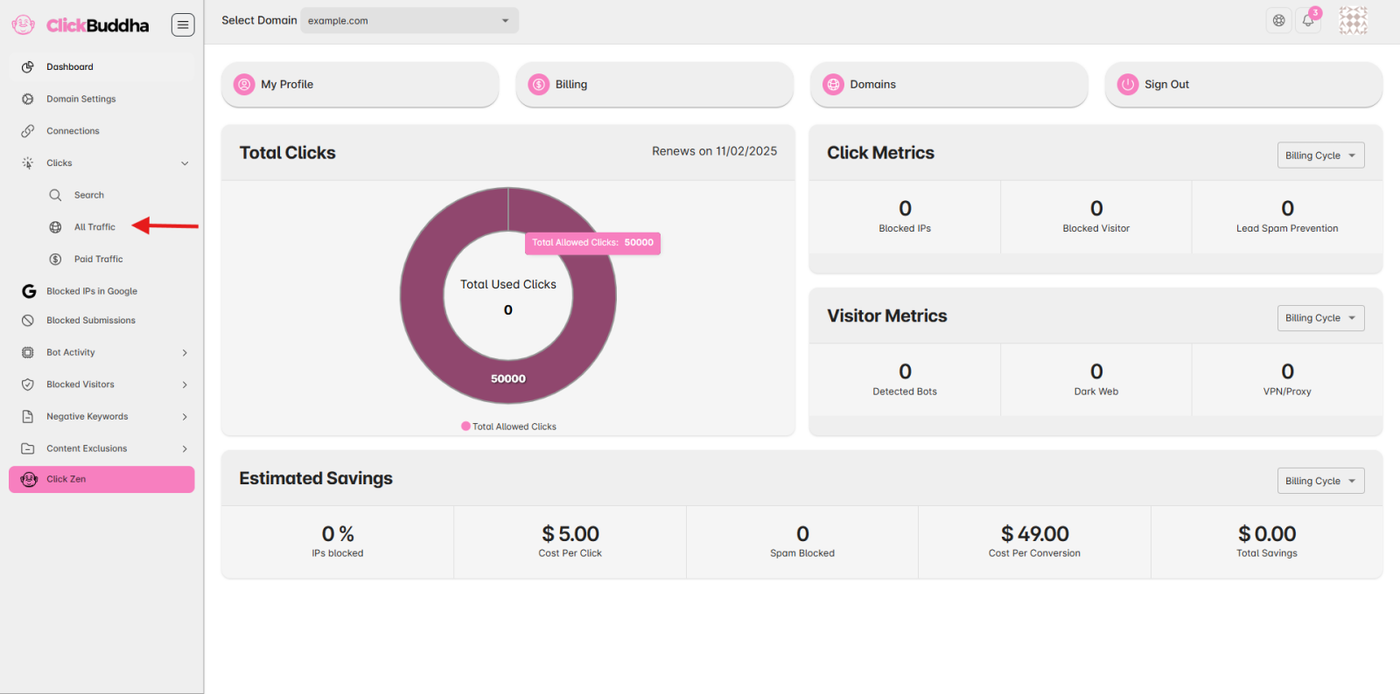
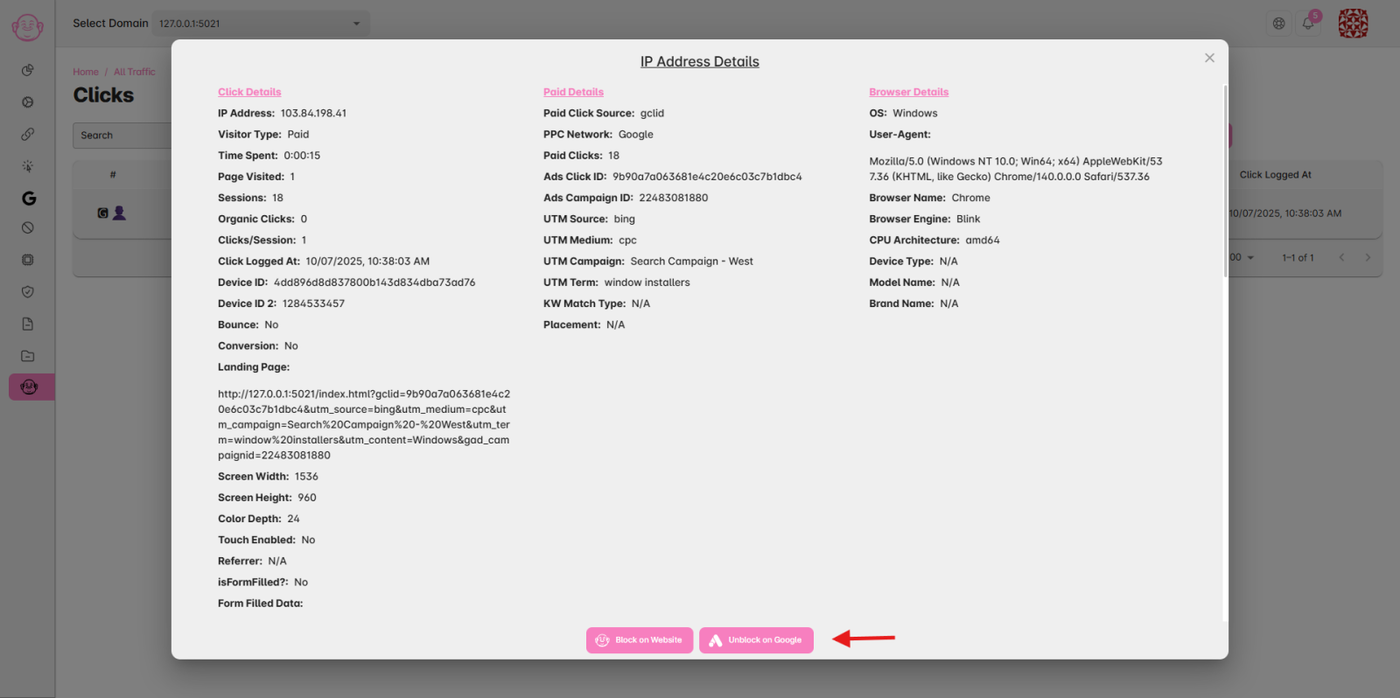
Step 2: Open the Click Details Popup
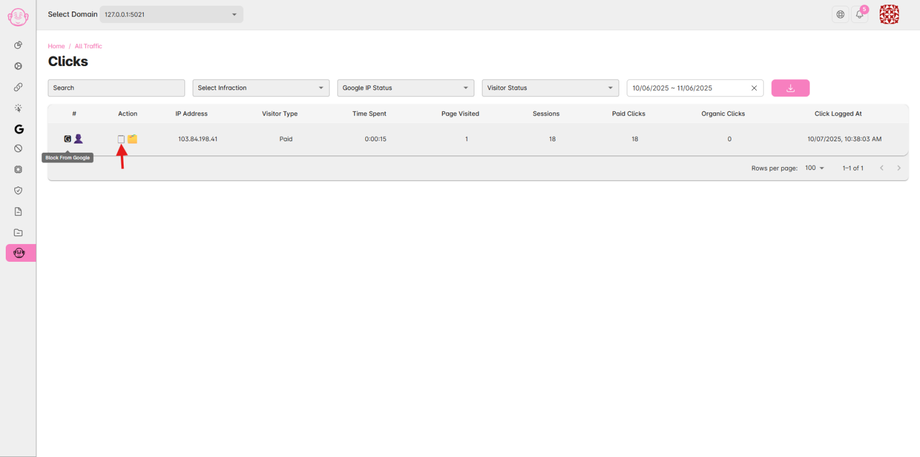
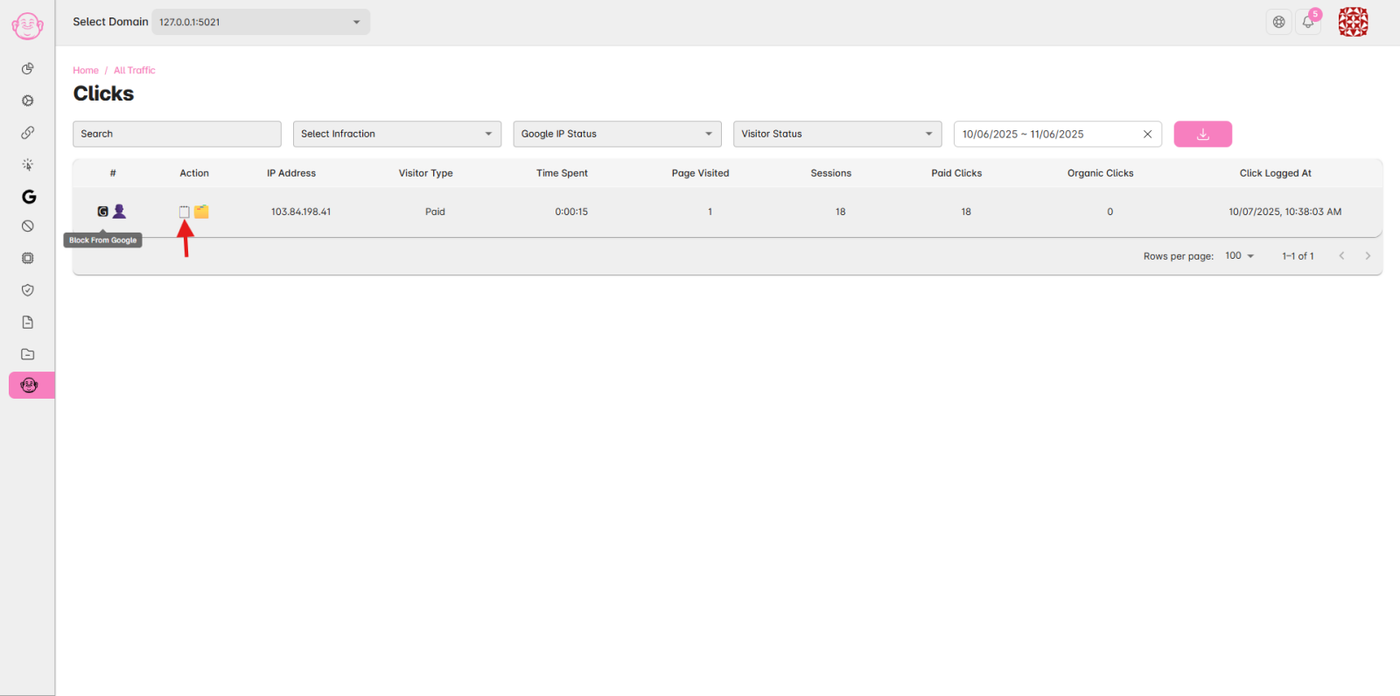
In the Action column, click the icon or button to open the popup for the specific click or IP you want to unblock.
You’ll see detailed information such as:
IP address
Campaign details
Blocking status
Any remarks you added earlier
Step 3: Unblock the IP at Google
Inside the popup, click the pink “Unblock at Google” button.
✅ This will automatically remove the IP address from your Google Ads exclusion list, allowing it to see your ads again.
You can also add a short remark (optional) to note why the IP was unblocked.
Step 4: Verify in Google Ads
To confirm the change:
Open your Google Ads account.
Go to Campaigns → Settings → Additional Settings → IP Exclusions.
The IP you removed should no longer appear in the list.
✅ Once removed, that IP will start receiving your ads again if eligible.