
When you enable or disable traffic monitoring, you control how Click Buddha tracks and protects your website traffic.
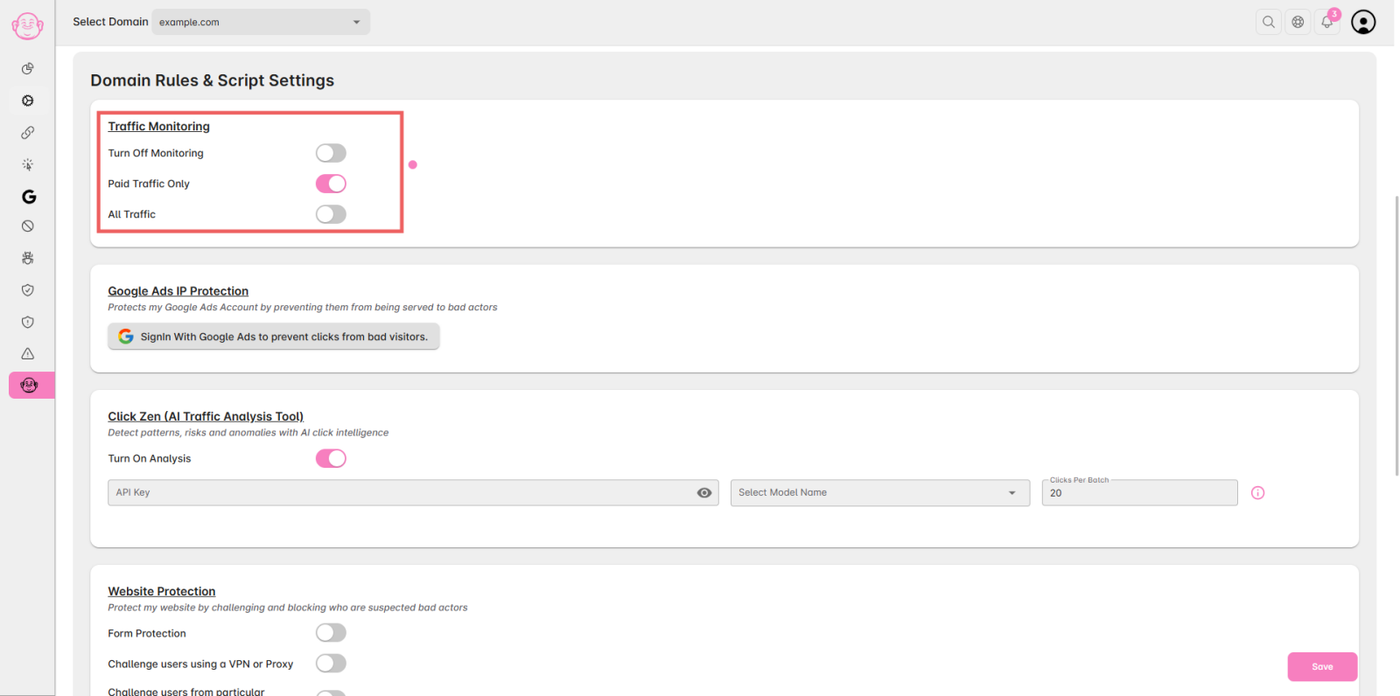
To manage your traffic monitoring settings, follow these steps:
Turn Off Monitoring:
When this toggle is enabled, no tracking scripts will run. This means Click Buddha will not monitor traffic or block any IPs.Paid Traffic Only:
When enabled, all spam detection and prevention features will apply only to paid traffic (e.g., Google Ads visitors).All Traffic:
When enabled, all spam detection and prevention techniques will apply to both paid and organic traffic on your website.