
Yes — Click Buddha’s VPN/Proxy Detection feature applies to both Paid and Organic traffic.
It automatically monitors all incoming visitors to identify if they are using VPNs, proxies, or datacenter IPs.
Here’s How It Works:
Paid Traffic (Google Ads, PPC, etc.):
When VPN/Proxy detection is enabled, Click Buddha can block or exclude suspicious IPs directly in your Google Ads account to prevent ad fraud.Organic Traffic (Direct, SEO, Social, etc.):
For organic visitors, it will detect, warn, or block access to your website — based on the action you’ve configured in your Domain Settings.
Step 1: Open Domain Settings
From the sidebar, go to Domains.
Select your domain and open Domain Settings.
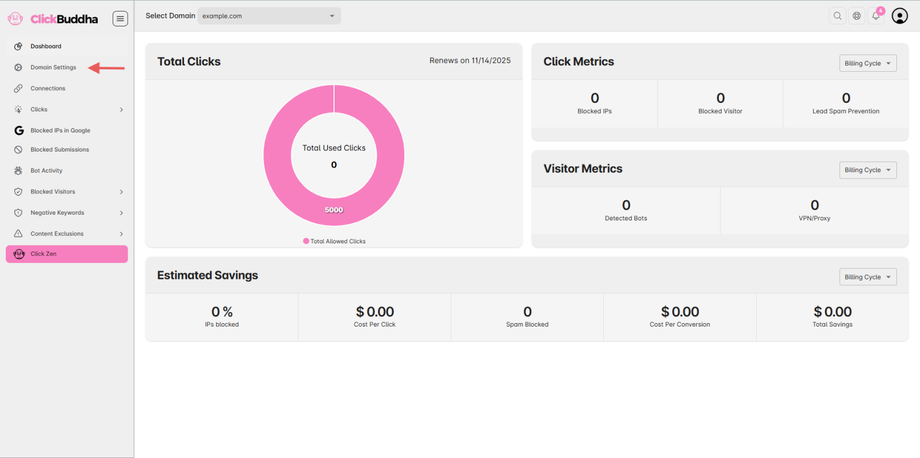
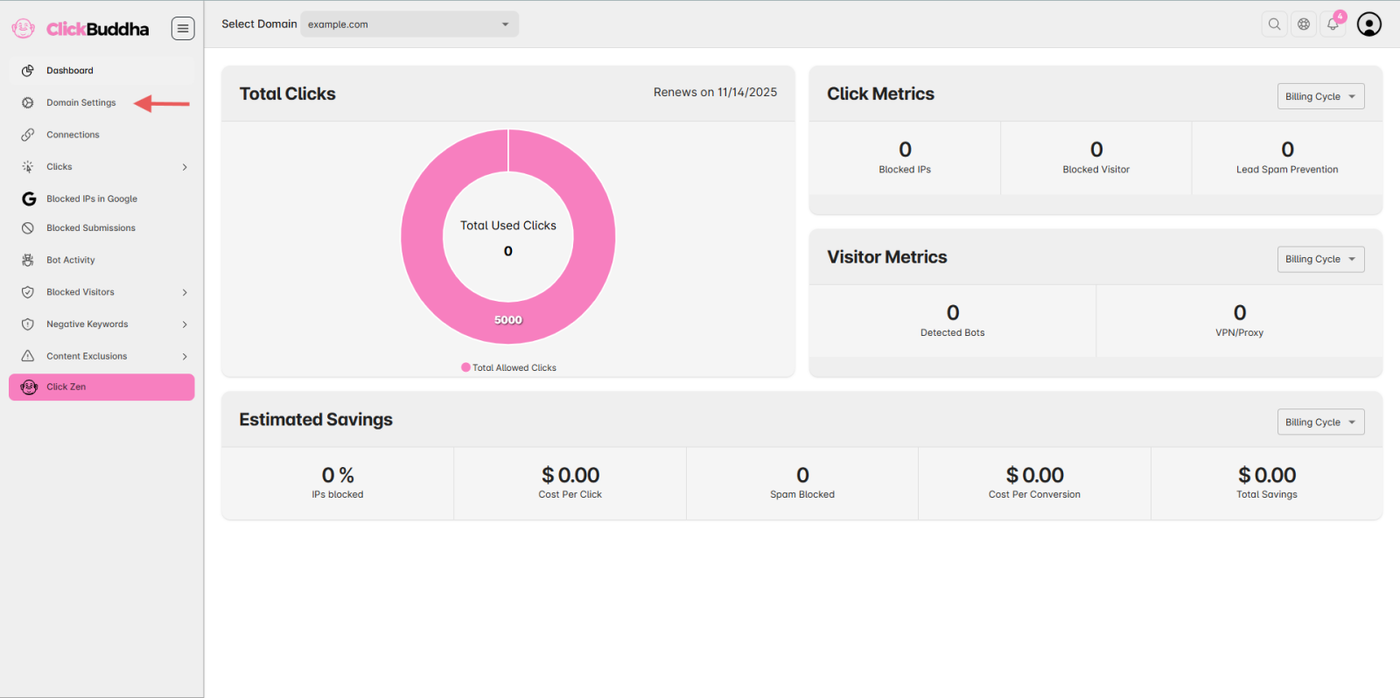
Step 2: Enable VPN/Proxy Detection
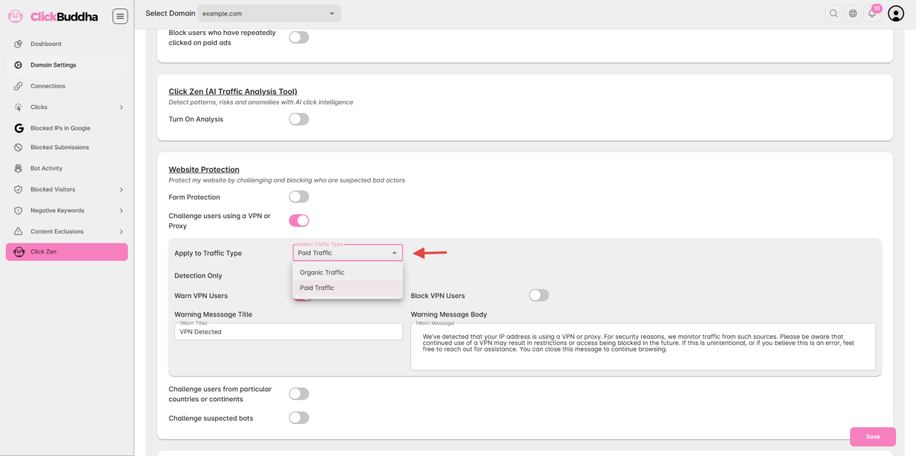
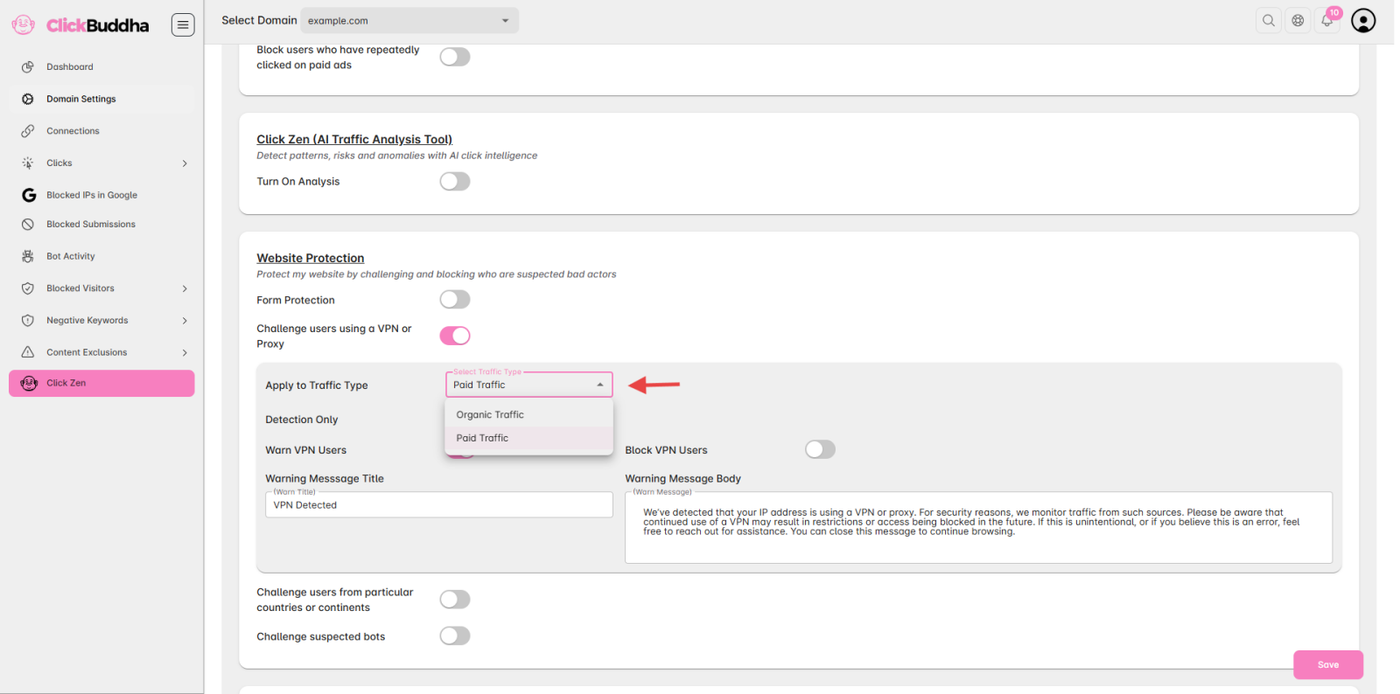
In the Website Protection section, enable the toggle “Challenge users using a VPN or Proxy.”
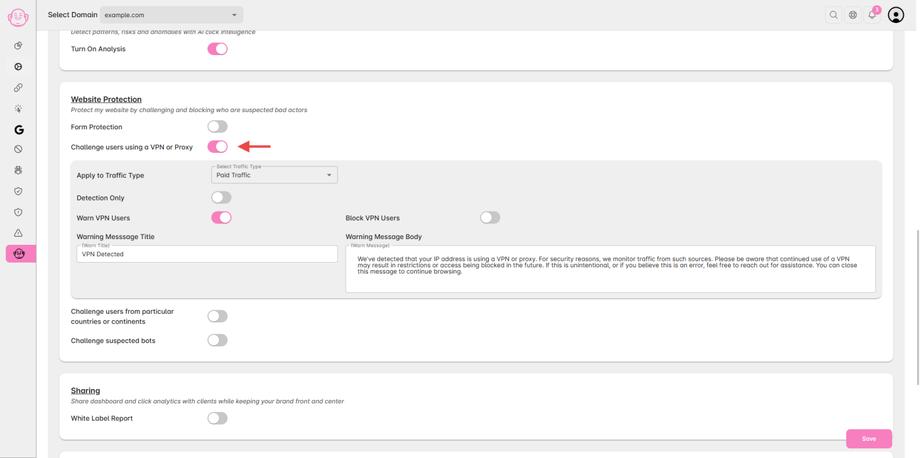
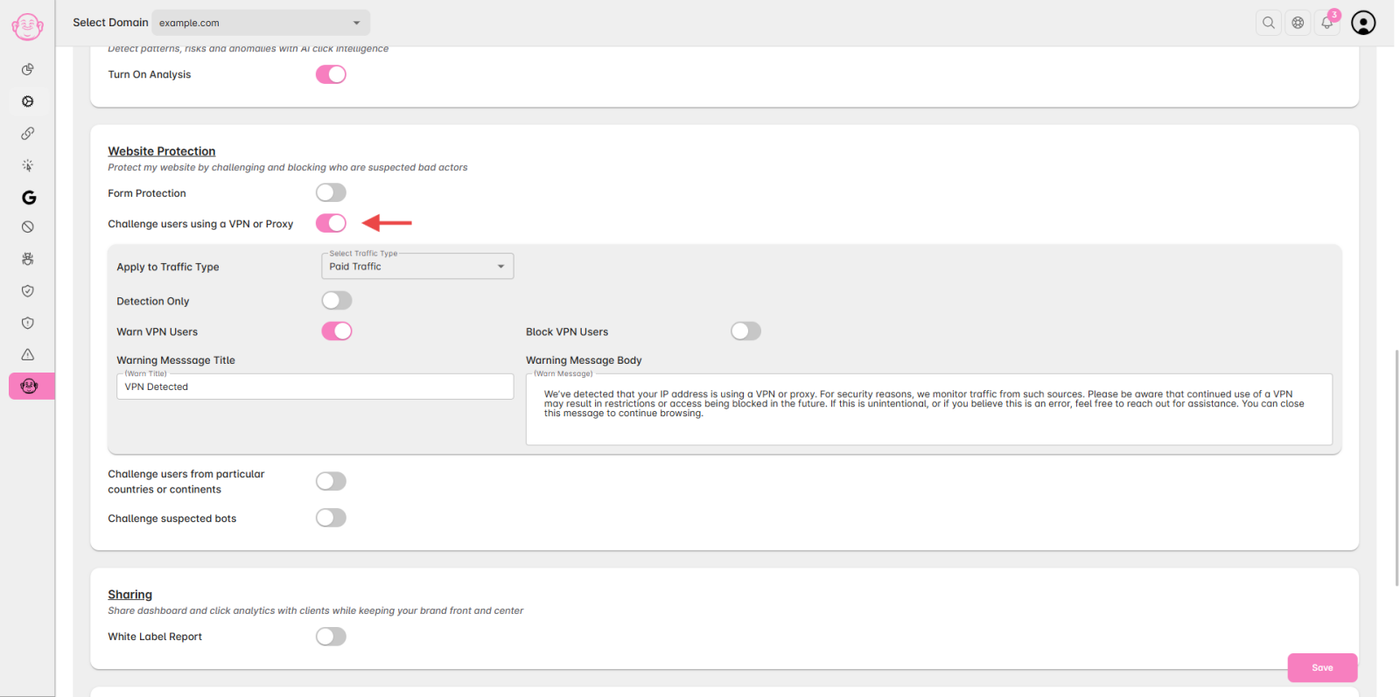
Step 3: Configure Traffic Type Action
Select you Traffic Type for Detection/Warning/Blocking
After enabling, choose how you want VPN/Proxy visitors to be handled based on Traffic Type:
Detect Only – Monitors VPN/Proxy users without taking action.
Warn – Shows a warning message to visitors using VPNs or proxies.
Block – Completely blocks access to your website for such users.
Step 4: Save Settings
Once configured, click Save to apply the changes.
✅ Note:
Detection applies to both Paid and Organic traffic by default.
Actions (Warn or Block) are applied according to the Traffic Type configuration.